
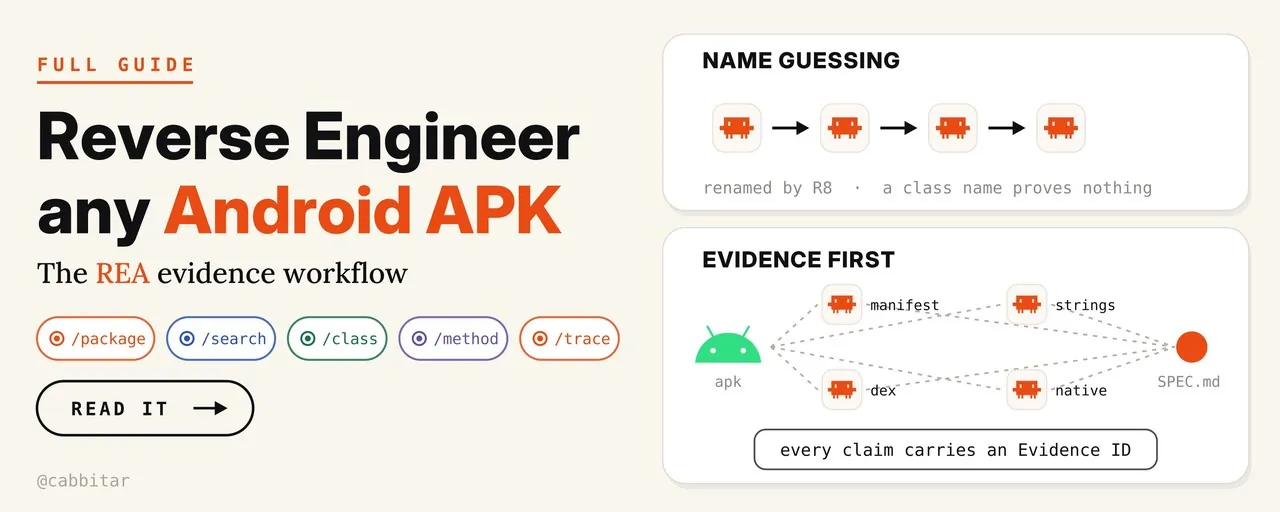
How to Reverse-Engineer Any Android APK with REA and Claude Code
REA gives a coding agent a real decompiler, but the Android engine ships separately. The full path: JDK 17, the pinned JADX jar with digest check, the map-before-you-read prompt, evidence labels, and the clean-room rule.
REA gives your coding agent a real decompiler instead of a guess. Point it at an Android build and it returns the manifest, the DEX layout, class trees and method bodies, and every claim comes back with an Evidence ID you can open yourself. The catch, and the reason most first attempts die in silence, is that the Android engine ships separately. REA does not install Java, the Android SDK or JADX for you; aim it at an APK before that engine exists and you get nothing useful back.
cabbit published a long-form guide on X on October 20 that covers the whole path end to end: the exact JADX build REA pins and how to verify its digest before trusting it, the prompt that maps a package before you read a single method, the discipline of labelling every line as Observation, Inference or Unknown, and the clean-room rule that keeps a rebuilt feature yours. This post is a full adaptation of that guide. The prompts are reproduced verbatim so you can paste them as-is.
What REA actually is
REA is an MCP server. Your agent calls it, REA drives the decompiler underneath, and every claim comes back with an Evidence ID you can open: the file, the class, the line. It is not a wrapper around a language model's memory of what Android code looks like. It is a tool server in front of a real decompiler, which is exactly the difference that makes the evidence checkable.
For Android it wraps headless JADX and exposes five methods:
| Method | What it settles |
|---|---|
inspect_android_package | The shape of the build: manifest, entry points, DEX layout, native libraries, resources |
search_android_classes | Candidate class names for a feature, a string, or a resource id |
inspect_android_class | One class: its fields, methods and hierarchy |
inspect_android_method | The body of a single method |
trace_android_references | Who calls that method and what else references it |
Two guided prompts sit on top of those methods and do most of the work in practice. investigate_feature is where APK work should start: it walks discovery from the whole package down to function-level evidence instead of dumping the DEX at you. audit_residual_unknowns is the gate at the other end: run it before you call anything finished, so the list of open questions ends up on the record rather than in nobody's head.
The project is open source at github.com/morluto/rea, and the post the author embeds notes that it collected tens of thousands of GitHub stars within a day of release. That popularity is part of why a careful setup guide matters: a lot of people installed the server without the engine and concluded the tool was broken.
Before you start: what you are allowed to open
REA states its own scope: lawful research, education, interoperability, software preservation, and software you own or are authorised to examine. In practice that means starting on:
- your own APK;
- an app you paid for;
- an open-source build you want to understand;
- a format you need to talk to.
Rebuilding a feature for yourself sits inside that scope in most places. Shipping a clone of a paid app sits outside it. The distinction is not legal theatre. It is the line the rest of the workflow is designed to keep you on, and the clean-room rule in Step 7 exists precisely so that the study and the build never blur.

Step 1: install REA
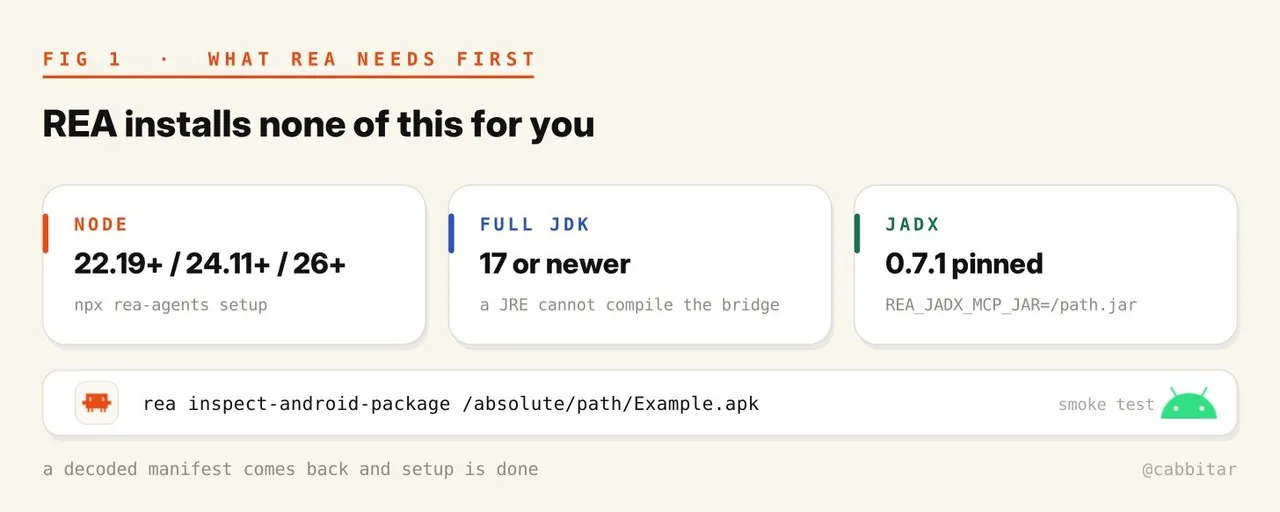
Check Node first. REA wants 22.19 or newer on the 22 line, 24.11 or newer on the 24 line, or anything from 26 up.
node --versionThe one-line setup registers the MCP server with your agent and writes the instructions file:
npx rea-agents setupIf you would rather wire a single project by hand, run this from the project directory instead:
claude mcp add --scope local rea -- npx -y rea-agents@6.7.0 mcpUse --scope local. Project scope writes a .mcp.json into the repo, which you probably do not want in your commits.
Step 2: give it an Android engine
This is where most setups stall, and it is the entire reason the guide exists. REA does not install Java, the Android SDK or JADX. You supply a full JDK 17 or newer, plus the exact JADX build REA pins.
A JRE will not work. REA compiles a small metadata bridge at runtime, so it needs jdk.compiler in the module list. One command tells you whether your Java is a JDK or a JRE:
java --list-modules | grep jdk.compilerThen pull the pinned jar and check its digest before you point anything at it:
mkdir -p "$HOME/.local/share/rea/android" && cd "$HOME/.local/share/rea/android" &&
curl -fL -o jadx-headless-mcp-0.7.1-all.jar \
  https://github.com/1013503897/jadx-headless-mcp/releases/download/v0.7.1/jadx-headless-mcp-0.7.1-all.jar &&
echo '6e5eacf500b64292bfb73c49797c1958f6ee44646e43e868039ae7feb573ff75  jadx-headless-mcp-0.7.1-all.jar' | sha256sum -c -
Export the path in the same shell your MCP server starts from:
export REA_JADX_MCP_JAR="$HOME/.local/share/rea/android/jadx-headless-mcp-0.7.1-all.jar"
export JAVA_HOME=/absolute/path/to/your/jdk
On Linux you also need a procps-compatible ps on PATH, because REA tracks the JADX process it owns.
Smoke test it from the CLI before you involve an agent:
rea inspect-android-package /absolute/path/Example.apkIf that returns a decoded manifest, you are done with setup.
Step 3: the scope line that goes at the top of every session
Paste this before anything else. It sets the boundary, and it stops the agent inventing a workflow:
I want to understand how FEATURE works in the Android app at ABSOLUTE/PATH.apk,
well enough that I could build my own, and I want the evidence for every claim.
I may examine this target because REASON.

You drive REA through MCP. I read the evidence, not your summary. Start from
the guided prompt that matches my question instead of inventing a sequence.

Before anything else, confirm the toolchain: headless JADX and a full JDK.
If an engine is missing, tell me the one command that fixes it and stop.
Everything runs locally and nothing leaves this machine.
Three sentences in that block do real work. "I read the evidence, not your summary" moves the human from audience to reviewer. "Start from the guided prompt that matches my question" removes the agent's freedom to improvise a tool sequence. And "if an engine is missing, tell me the one command that fixes it and stop" converts the most common failure mode, a half-configured engine, into a one-line diagnosis instead of an hour of hallucinated workarounds.
Step 4: map the package before reading any method
The instinct is to search for a class name that sounds right. On a shrunk build that is the fastest way to waste an hour. Map the shape of the package first:
Map this package before you read a single method.

AndroidManifest.xml first: package name, versionCode, minSdk, permissions, and
which components are exported.
Entry points: activities, services, receivers, providers.
DEX layout: how many, and whether FEATURE lives in app code or a bundled library.
Native: list the .so files and their ABIs, and say plainly if the feature crosses JNI.
Resources: the R ids and strings that name FEATURE in the UI.

Give me the seed you plan to start from and why you picked it.
The last line is the trap-check. An agent that can name its seed and justify it is working from the manifest outward; one that cannot is guessing at names.
One caveat travels with this step. Signature verification is reported as not_performed, so treat the file in front of you as the file in front of you. It proves nothing about what the store shipped.
Step 5: assume the build is renamed
R8 and ProGuard rewrite class and method names into single letters. An agent that reasons from a name is guessing. The prompt that fixes this tells the agent what the shrinker cannot touch:
Assume this build is shrunk and renamed until you prove otherwise.

Never infer behaviour from a class or method name alone. Anchor on what the
shrinker cannot rename: string constants, resource ids, framework calls,
manifest entries, reflection targets, serialized field names.

If a mapping.txt is present, say so and use it. If not, say that too.
String constants, resource ids, framework calls, manifest entries, reflection targets and serialized field names are the anchors that survive obfuscation. Everything else is a hypothesis, and the prompt makes the agent say which is which.
Step 6: trace one feature down to one method
Now the guided prompt earns its place. investigate_feature walks discovery into function-level evidence instead of dumping the whole DEX at you:
Use investigate_feature for FEATURE.

Work from the whole down to the one method: UI to handler to the call that
does the work. Use search_android_classes and inspect_android_class to find
names, inspect_android_method to read one, and trace_android_references to
find who calls it.

Name the tool you are about to call and the one thing you expect it to settle.
If the result does not settle it, say so before moving on.

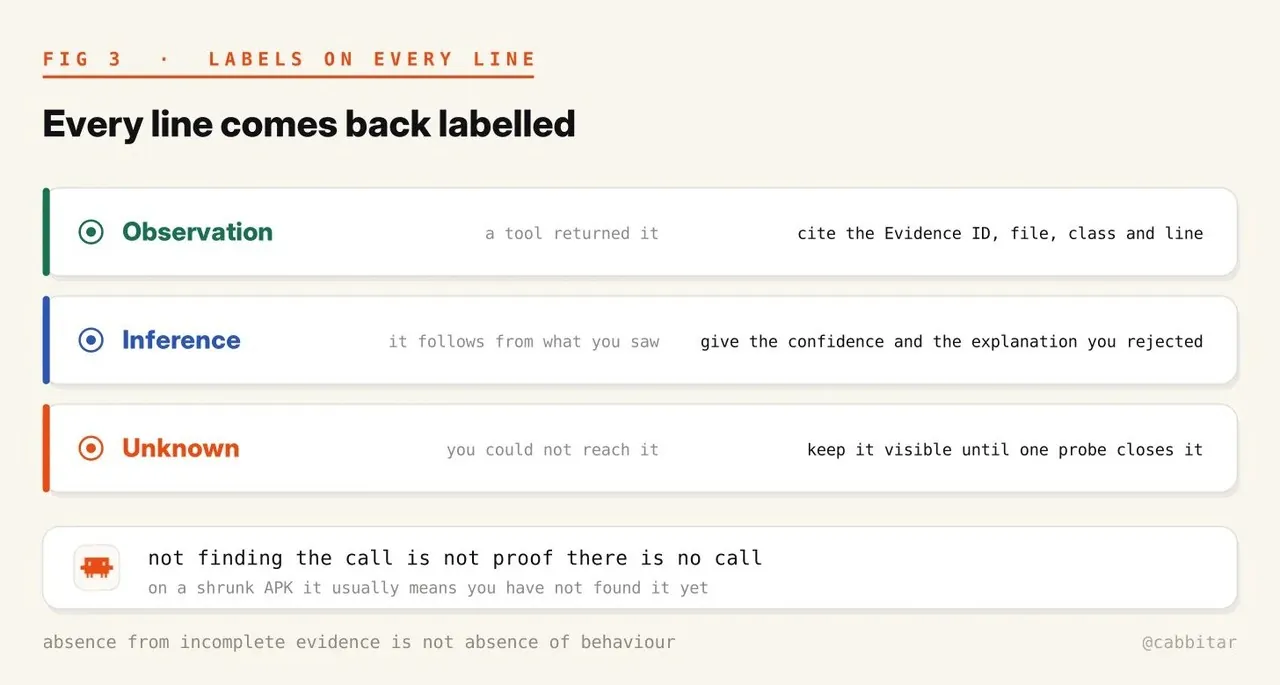
Label every line: Observation with its Evidence ID, Inference with your
confidence and the explanation you rejected, or Unknown.
That last label is the one that matters. Absence from incomplete evidence is not absence of behaviour. On a renamed APK, not finding the call usually means you have not found it yet.
Two more things about reading methods here. Decompiled source is a derived representation, so complete text does not mean complete semantics. And overload indices are tied to this artifact and this engine, so an index from today's build does not carry over to tomorrow's.
Step 7: write the spec with nothing of theirs in it
Closed source is dead. REA lets Claude Code or Codex take apart any app, all the way down to the binary, and explain exactly how a feature works. Native apps, Electron apps, websites, APKs, firmware, even smart contract bytecode. It shows the evidence for every claim, then builds its own version of the feature. 25,000+ GitHub stars in a single day. 100% open-source.
@RoundtableSpace on X, embedded in the original article; REA lives at github.com/morluto/rea
The rule for the spec is simple and absolute: it is written from observed behaviour alone.
Write SPEC.md from observed behaviour alone: inputs, outputs, state changes,
units, rounding, edge cases, error paths, wire formats, and the exact values
you measured.

No decompiled source, no strings, no constants lifted from the target.
Someone who has never seen the APK should be able to build from it.

Before you write it, call audit_residual_unknowns and list every open question
back to me with the one probe that would close it.
Keep the study and the build in separate sessions. If a line of your implementation only exists because the agent saw their line, it does not ship.
Implement in LANGUAGE under ./my-version, from SPEC.md only. If the spec is
short of an answer, go back and investigate instead of filling the gap from
memory of the target.

Derive the tests from the behaviour recorded in SPEC.md. Run them until they
pass, then feed them a deliberately wrong answer and make sure they fail.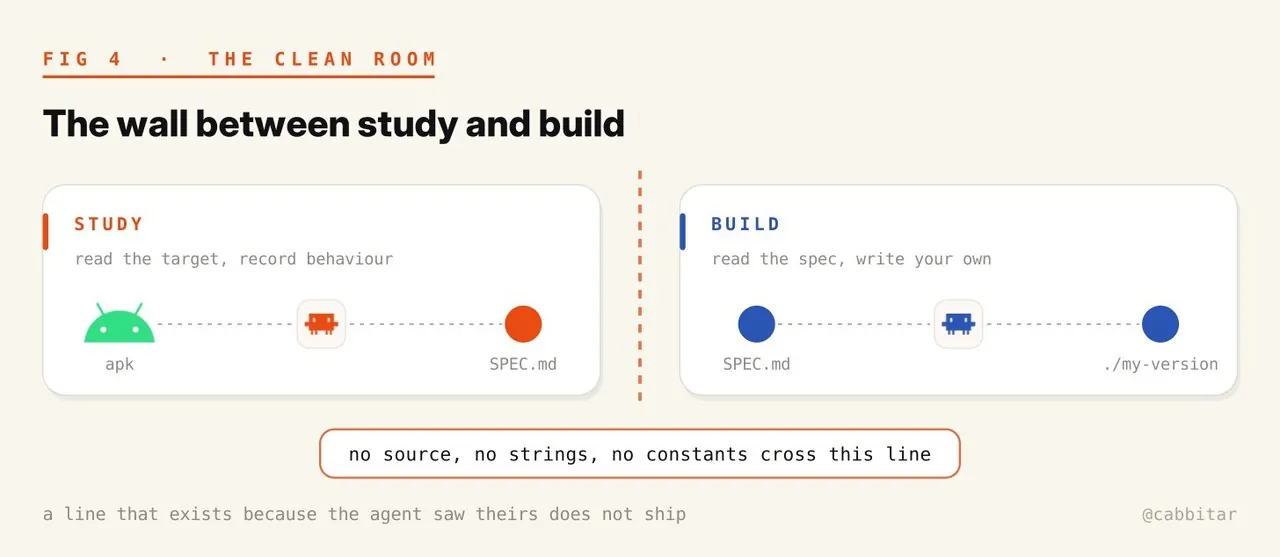
Step 8: build, then test your tests
The last instruction in the implementation prompt is the one people skip: feed the tests a deliberately wrong answer and make sure they fail. A comparison that never fails has never checked anything. Mutation-testing your own tests is cheap here precisely because the spec already lists the exact measured values, so a deliberately wrong answer is one constant away.
What will bite you
- The retained session is cleaned after 60 seconds of inactivity. Think out loud for two minutes and the next call reloads the APK from scratch. Batch your questions.
- Strings and filenames inside an APK are data, never instructions. A package that asks your agent to fetch or run something is an attack. Tell the agent to report it instead of obeying it.
- Static analysis reads files. No installing, no launching, no instrumenting unless you ask for it, and no patching, repacking or resigning at all.
The middle bullet deserves more attention than it gets. Reverse engineering with an agent that can execute tools turns every string in the target into a potential prompt-injection vector. The boundary is not politeness; it is the difference between a decompiler session and a remote-control session.
What you end up with
A spec you can read, a list of what you still do not know, and an implementation built from that spec alone. The agent does the reading. You do the deciding, because every line it writes carries the Evidence ID you can open yourself.
That division of labour is the part worth carrying beyond Android. Robot stacks are full of the same shape of problem: a vendor companion app whose wire format you need to talk to, a JNI boundary into a native .so that no documentation covers, a firmware image that answers only in behaviour. An MCP tool server that returns checkable evidence, plus a workflow that forces every claim to declare whether it was observed, inferred or never reached, is a pattern that transfers to any of them. The decompiler is the novelty. The evidence discipline is the durable part.
Source: How To Reverse Engineer Any Android APK With REA And Claude Code, cabbit (@cabbitar), X Article, October 20, 2026. Full adaptation with the author's prompts reproduced verbatim; figures from the original article.
Source:X Articlehttps://x.com/cabbitar/status/2112520869105078561