Claude Code + Blender: Building a 3D Pipeline That Proves Its Work
Claude Code drives Blender through MCP, checks scale, origin, topology and exports, then verifies a clean GLB/FBX in the target engine. The loop, failure modes and robotics asset implications.
The interesting claim is not that Claude Code can make a mesh. It is that the same agent loop used for software can be pointed at Blender and forced to prove that the asset is usable. The agent opens a real scene, reads the existing objects, writes Blender Python through an MCP bridge, looks at the result from several angles, measures it, repairs scale and origin mistakes, exports a game-ready file, and then reopens that file in the target engine. The deliverable is not a screenshot. It is a clean GLB or FBX with a name, a scale, a triangle budget, and a validation trail.
Lummox frames this as the missing middle of game art: props, modular kits, environment blockouts, cleanup jobs, and export pipelines. These tasks are expensive not because every object needs a hero sculpt, but because a team must repeat dozens of small decisions consistently. Use metres. Put the origin at the bottom centre. Remove the old transform before export. Keep names readable. Preserve PBR materials through glTF. Stay inside the triangle budget. Do not ship Cube.017.
Most text-to-3D demonstrations optimise for spectacle: one prompt produces one organic shape and one attractive render. A game does not ship the render. It ships named objects, collision-friendly geometry, predictable pivots, and materials that survive an engine import. That is why the important product here is not generation. It is iteration with evidence.
A closed loop, not a one-shot generator
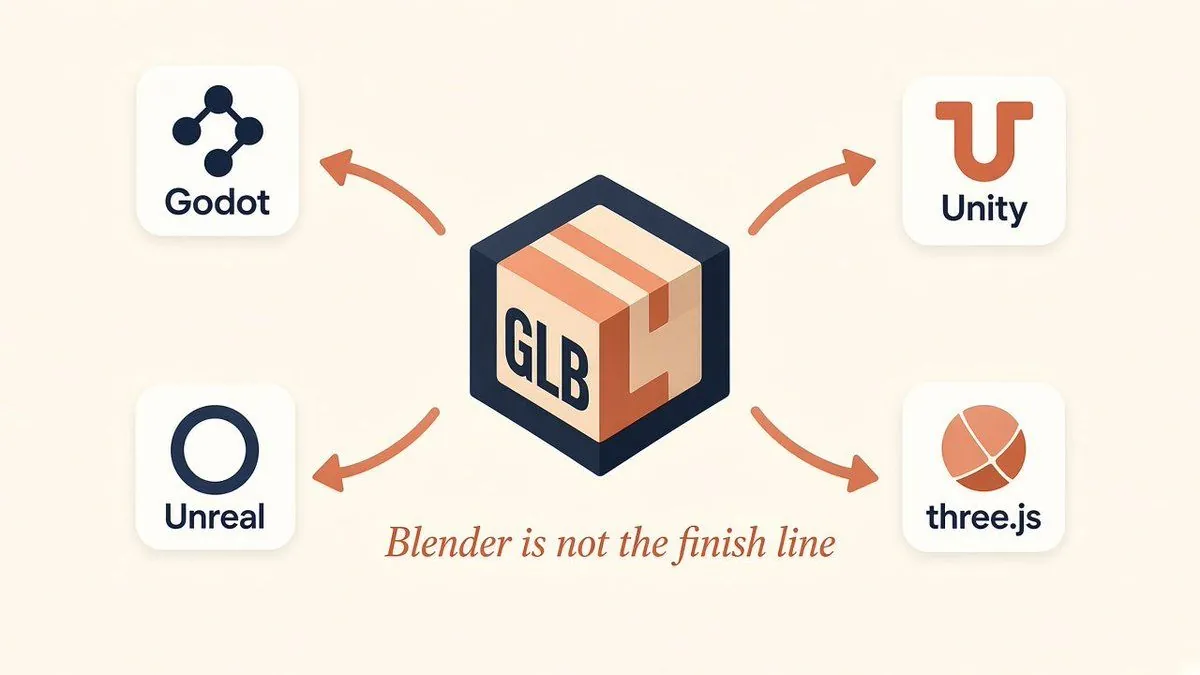
The proposed division of labour fits into one sentence: Claude Code decides, Blender executes, the human reviews, and the engine receives a clean GLB. Each verb matters. If Claude only generates Python and never opens Blender, it cannot see that a nominal one-metre crate is seventeen metres tall. If Blender is treated as a passive file writer, the workflow loses access to modifiers, curves, UVs, armatures, collections, and material nodes. If the human never reviews a multi-angle image, the loop is just an unverified code generator. If the export is never tested in Godot, Unity, Unreal, Roblox, or three.js, "finished" means only that the file exists.
The source describes four capabilities that already make Claude Code a plausible driver for this work. It can hold project context such as naming rules, metre scale, triangle budgets, and style constraints. It can write and revise Python, which is Blender's real automation language. It can call external tools through MCP, turning Blender into a connected runtime instead of a text-only fantasy. And it can keep iterating until a checklist passes, just as it does while chasing green tests in a software repository.
The human's job therefore moves upward. Instead of repeatedly operating Extrude, Bevel, Set Origin, Apply Scale, and glTF export, then forgetting one checkbox and discovering the problem after reimport, the operator writes intent: what the object is for, its dimensions in metres, its triangle budget, the visual language, the expected origin, and the target engine. This is still technical art direction. It is simply expressed as a brief that an agent can execute and verify.
Why Blender must remain the runtime
Claude does not replace the digital content creation tool. It drives it. Mesh topology, materials, UV maps, collections, modifiers, armatures, and scene state continue to live in Blender, which is what makes inspection possible at all. A toy sandbox that returns only a mesh file skips the part production actually depends on: applied transforms, gameplay-friendly origins, meaningful object names, collision-friendly structure, PBR materials that survive glTF, and a kit layout that other artists can extend.
This is the practical difference between "AI made a shape" and an agent acting inside real bpy. In a live or headless Blender session, the model can query what already exists, create a blockout, inspect the result, run a validator, and alter its plan. It behaves less like an image model dropping an object into the world and more like a technical artist with unusual patience for repetitive cleanup.
The useful output is not the first mesh. It is the repeatable loop that turns a brief into an asset whose measurements, appearance, names, export, and engine import can all be checked.
Two ways to connect Claude Code to Blender
The article distinguishes two integration paths. The official Blender Lab MCP, also described as the Claude Blender connector, is built by Blender people. It exposes natural-language access to the Blender Python API and documentation. That makes it strong for exploring complex setups, performing batch changes, cleaning existing scenes, and writing reusable tools rather than merely spawning primitives. It works with Claude Desktop and other MCP clients, including Claude Code, once the add-on and server are running.
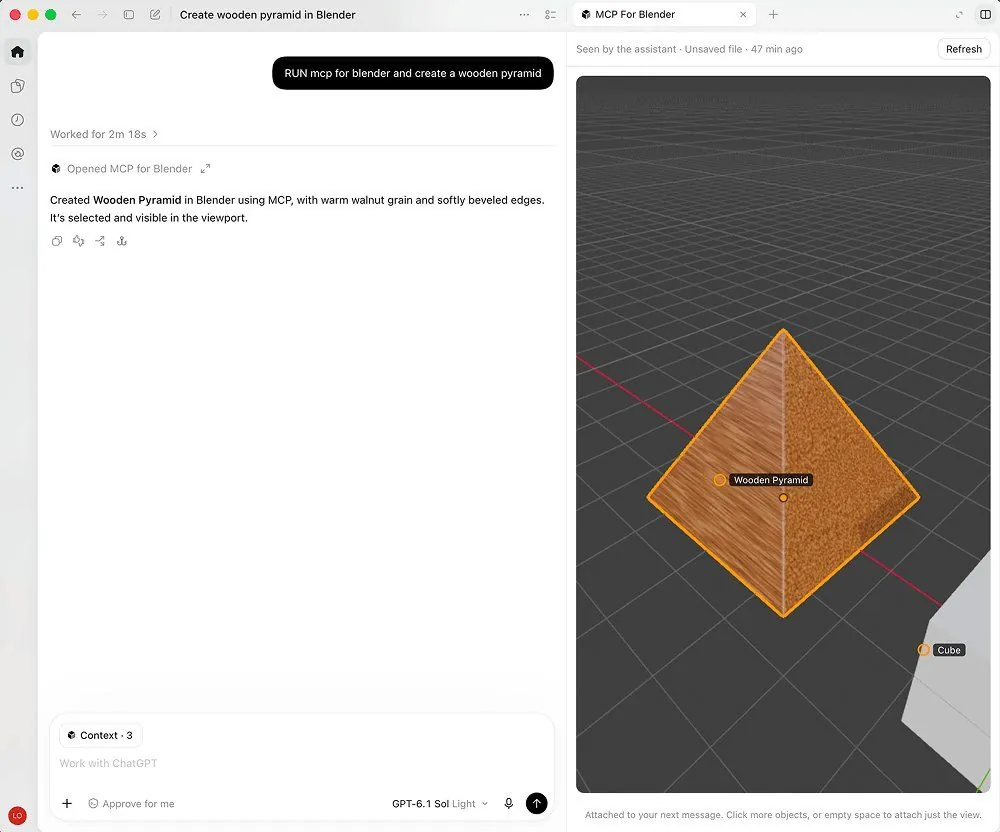
The community mcp-for-blender project targets live two-way control. It can execute Blender Python, inspect the scene, return multi-angle, wireframe, or rendered views, pull assets from Poly Haven and Sketchfab, and optionally connect text-to-3D services such as Meshy, Tripo, Rodin, and Hunyuan3D. The distinction is not merely installation preference. It determines how much of the visual verification loop is directly available to the agent.
| Connection path | Best fit | What to watch |
|---|---|---|
| Official Blender Lab MCP / Claude Blender connector | API and documentation access, complex scene exploration, batch edits, cleanup, and tool writing | Requires the add-on and server to be running; verify which scene and tool set are actually exposed |
Community mcp-for-blender |
Live control, Python execution, scene inspection, screenshots, asset libraries, optional generators | More surface area and more configuration; choose one primary bridge per project |
The installation example in the article adds the community server to Claude Code:
claude mcp add blender uvx mcp-for-blenderAfter that, the operator enables the add-on in Blender, starts the MCP server, and asks Claude to inspect or build. The source offers a blunt operational rule: pick one primary bridge per project. Connecting two sockets to the same scene is a reliable way to spend the afternoon debugging ports instead of reviewing crates.
The eight-stage loop that does useful work
A production session should not begin with "make something cool." It begins with state. The source's loop is deliberately close to the lifecycle of a software change: inspect, specify, implement, observe, repair, check, package, and verify in the target environment.
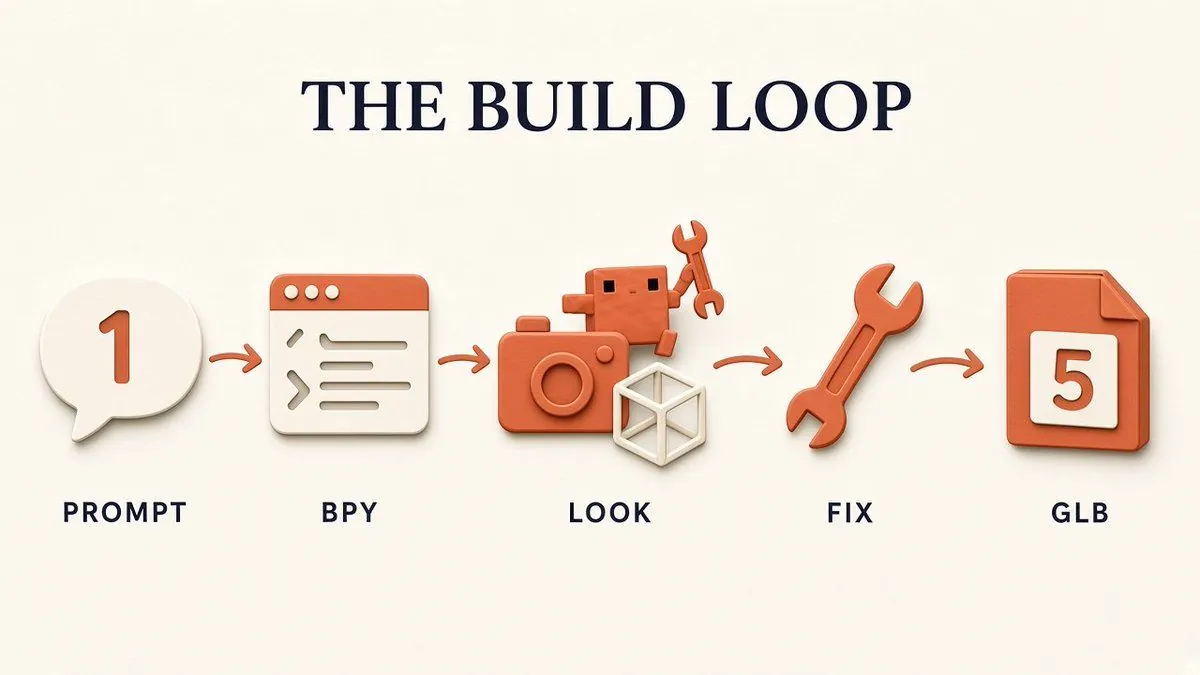
- Inspect. Ask for a scene summary before changing anything. The agent needs to know which objects, collections, materials, cameras, and data blocks already exist.
- Brief. State dimensions in metres, the triangle budget, visual style, required names, expected origin, and export target. Require the agent to echo the constraints back before building.
- Build. Start with a blockout and refine it through
bpy. Parametric hard-surface work is a strong fit. Use generative meshes mainly where organic complexity justifies them. - Look. Inspect the viewport, request multiple angles, check wireframe, or run a small render. No visual evidence means the agent is guessing.
- Fix. Correct scale, rotation, origin, normals, names, materials, modifiers, and unused data before moving on.
- Check. Measure triangle count and world bounds. Search for broken geometry, leftover duplicates, unapplied transforms, and accidental
.001names. - Export. Use GLB for most Godot, web, and three.js routes. Use FBX when a specific engine pipeline expects it.
- Verify in-engine. Import the asset into the actual target engine. The engine is the finish line, not Blender.
The look step is what prevents confident nonsense. Without it, a "one-metre crate" can be seventeen metres tall, a "low-poly asset" can contain 80,000 triangles, and the origin can float far from the geometry so the prop rotates around an invisible point in-game. With it, the coding-agent habit of running the application after every change transfers directly to 3D: make a change, observe the result, repair the failure, and repeat.
| Stage | Evidence produced | Failure it catches early |
|---|---|---|
| Inspect | Scene summary and object inventory | Overwriting existing work or building in the wrong collection |
| Brief | Echoed dimensions, names, budgets, and target | Agent inventing requirements or using the wrong unit scale |
| Look | Multi-angle, wireframe, or render images | Wrong silhouette, hidden geometry, broken materials, impossible proportions |
| Check / export | Measured bounds, triangle count, readable export log | Budget overruns, bad pivots, duplicate names, incomplete transforms |
| In-engine verification | Instanced asset inside the target engine | Axis, unit, bone, tangent, collision, compression, or material incompatibility |
Game delivery is a separate skill
A mesh that looks correct in Blender can still fail after export. Axes, unit scale, leaf bones, tangents, compression, collision, and material models differ across targets. The source treats game delivery as its own stage rather than assuming that a valid .blend file implies a valid engine asset.
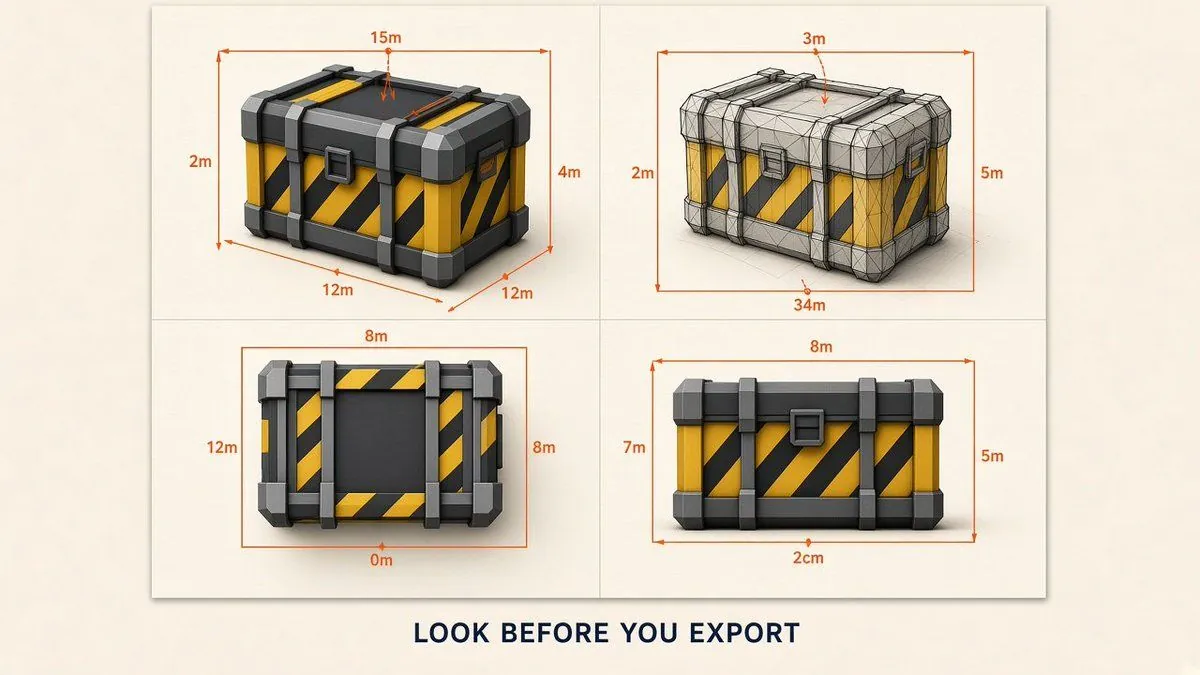
The defaults are simple because they prevent expensive ambiguity. Work in metres and put numbers in every prompt. Apply location, rotation, and scale for rigid props. Put the origin where gameplay expects it, usually bottom centre for a floor object. Prefer GLB when PBR materials, emission, and simple animation should remain in one file. Use FBX when the engine path is built around it. Export a selection rather than a messy scene. Keep object and material names clean because they become engine names. Record credits whenever a library or generator supplies an asset.
| Delivery check | Why it cannot be deferred to the engine |
|---|---|
| Measured world bounds | A perspective render can hide the difference between a crate and a building |
| Triangle count | An inexpensive reimport is still too late if the asset never fit the scene budget |
| Origin and applied transform | Bad pivots become gameplay bugs, not cosmetic Blender issues |
| Names and material slots | They become the interface that level designers and code must use |
| Read-back in the target engine | Only the engine proves its own axis, scale, collision, and material conventions |
Validation should therefore be layered: broken geometry, unapplied scale, incorrect origins, UV problems, triangle budget, export, and a read-back test. A Godot flow can place the GLB under assets/models/, instance it, add collision, and run. A Unity flow can bridge Blender to a temporary file, import it, and compare screenshots. The exact commands vary, but the contract does not: Blender is not done until the engine agrees.
Where the workflow earns its keep, and where it does not
The strongest use cases are structured and repetitive. The article lists props and kitbash packs with consistent naming and grid sizes, environment blockouts that need to become usable meshes, batch cleanup across messy .blend files, export routines nobody wants to click forty times, technical-art glue such as presets and custom properties, LOD scaffolding, learning bpy by reading the agent's scripts, and early game art created before a full artist pipeline exists.
The ceiling is equally important. Agent-driven geometry is most credible on hard-surface objects and integration work where the requirements can be written as dimensions, pivots, grids, budgets, export settings, and validation checks. It does not replace shipped-quality hero organic characters, dense foliage, cloth, or ornate handcrafted props. Those tasks may still use generators, but production quality usually requires retopology, baking, asset libraries, or a skilled artist. Claude can remove the boring glue around that work without pretending the hard creative problem disappeared.
The source's sentence is worth preserving: one prompt will not replace art direction. A force multiplier will, but only if the operator already knows what good looks like.
Brief Claude Code like a technical artist
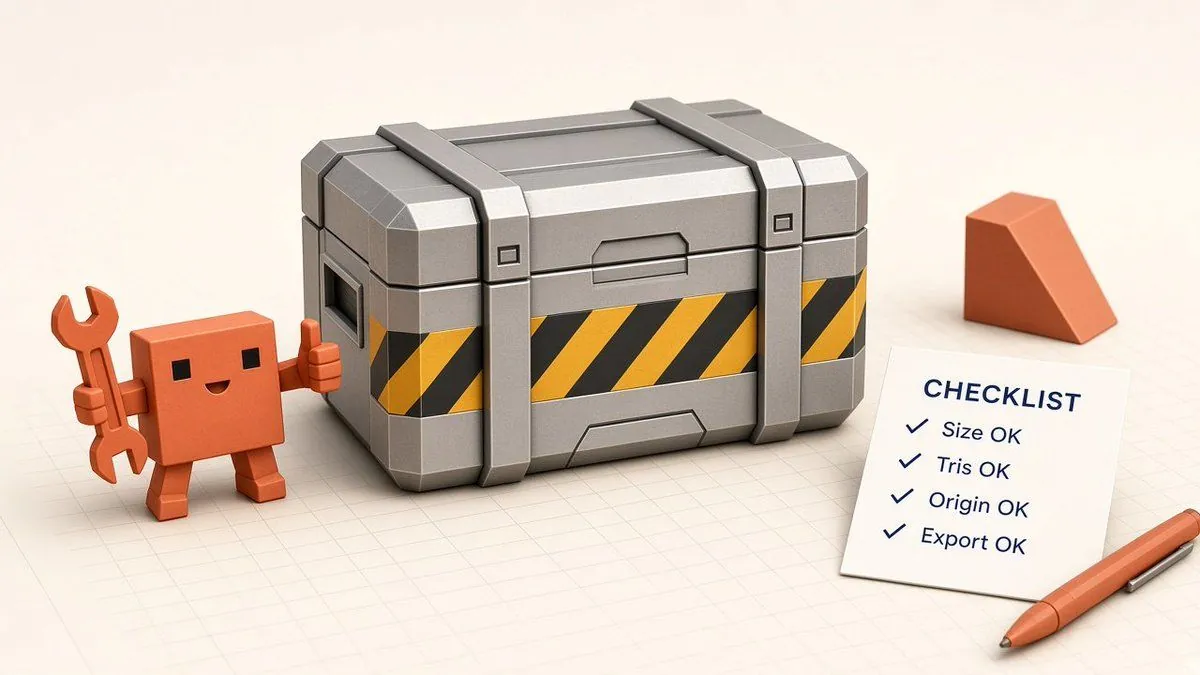
"Make a cool sci-fi crate for my game" is not a usable brief. It contains no size, topology target, style constraint, origin, naming rule, export path, or acceptance test. Claude Code chases checklists, so the prompt must give it a checklist.
Open the current Blender scene and report what is already there.

Build a low-poly sci-fi storage crate for a first-person prototype.
- Size: 1.0m x 0.8m x 0.9m
- Budget: <= 800 tris
- Style: hard edges, slight bevel, industrial silhouette
- Materials: metal + yellow hazard stripe (PBR)
- Names: Crate_SciFi_01 / Metal_Hazard_A / Stripe_Hazard_A
- Apply loc/rot/scale; origin at bottom center on Z=0
- Do not include lights/cameras in the export set

Then: multi-angle solid + wireframe looks, report tris and bounds,
fix anything that fails, export selection as crate_01.glb for Godot
(+Y up, materials embedded), list path and warnings.
This is more than a prompt. It is a compact production contract. It identifies the scene, the object, the dimensions, the budget, the visual language, the material model, the exact names, the transform state, the origin convention, the export selection, the verification views, the measurements to report, the engine, and the expected final path.
Other patterns from the article follow the same principle. Approve one module first, then ask for seven variants with the same trim language on a 0.5-metre grid. Before a destructive cleanup pass on a messy file, require a report of what will change. Use small, reviewable steps so that taste and technical constraints are applied before the agent produces another fifty objects.
Failure modes and the checks that contain them
The article's failure list is the most useful part of the workflow because every item has an observable remedy. These are not abstract model weaknesses. They are symptoms visible in the scene, the measurement report, or the engine import.
| Failure | What it looks like | Guardrail |
|---|---|---|
| Blind confidence | No screenshot, but the agent declares success | Require a multi-angle or render view before acceptance |
| Scale lies | "About a metre" becomes an arbitrary size | Put exact metre dimensions in the brief and report world bounds |
| Origin lies | The asset looks fine in Blender but moves incorrectly in-engine | Specify the pivot convention and test placement in the engine |
| Name pollution | Cube.003 appears inside a fifty-prop kit |
Give exact naming rules and scan the scene before export |
| Over-promised organics | A pile of cylinders is presented as a finished character | Label blockouts honestly and use retopology, libraries, or an artist where needed |
| Unsafe Python | A broad script damages scene state | Save before large execution calls and work in checkpoints |
| MCP confusion | Wrong port or missing tools make the bridge look broken | Use one primary server, confirm tool loading, and restart only after adding servers |
| License amnesia | External generators or marketplace assets have no attribution | Maintain CREDITS.md from the first imported asset |
Week one is calibration, not production
The source proposes a deliberately boring first week. The goal is to make the loop observable before asking it to produce ambitious art.
- Day 1: Connect MCP, confirm scene information and screenshots, and rename the default cube.
- Day 2: Add a repository-level rules file covering metres, naming, budgets, export folders, and engine target.
- Day 3: Take one prop through the full loop into the engine. Measure where it breaks, usually origin or scale.
- Day 4: Turn the successful route into a reusable prompt, checklist, and small validation script.
- Day 5: Build a five-to-ten-piece kit with a shared visual language, then decide whether generators belong in the loop.
By the end of that week, the operator should know whether the setup is a toy or a department of one. The answer depends less on the quality of the first render than on whether failures become cheaper and more visible on each repetition.
What "done" must mean
An agent should not be allowed to stop at "I created the mesh." The article defines a stronger acceptance state. The brief's numbers must match measured bounds and triangle count. A human must inspect at least one multi-angle view. The exported file must open in the target engine without unexplained scale or orientation. Names must be publishable. Credits must be updated if anything external was pulled.
If any item is missing, the task remains open. The prompt should state that explicitly: "Do not stop until the done criteria pass." Agents respond more consistently to hard stop conditions than to a general request for quality. That discipline, which resembles the acceptance criteria of a pull request, is what turns Claude Code and Blender from a novelty into part of a production pipeline.
Why this matters beyond game art
RobotWorld analysis: the same loop is useful for robot simulation content because an embodied system is only as trustworthy as the assets and transforms fed into its simulator. A digital twin with the wrong scale, detached pivot, missing collision, or inconsistent axis convention will generate confident but invalid training data. The visual failure may be obvious; the more dangerous failure is a physically plausible render built on the wrong coordinate system.
The transferable pattern is not that Claude should autonomously author a robot. It is that an agent can generate and maintain the repetitive structure around a simulation asset: named links and prop hierarchies, metre-based dimensions, collision proxies, material declarations, export manifests, and validation reports. Those artifacts still need simulator-side checks against the actual physics engine, sensor frames, and robot description. Blender can be the authoring runtime; it cannot certify dynamics, contact properties, controller compatibility, or a sim-to-real claim.
That distinction is healthy. Let the agent execute the tedious, deterministic parts of the asset pipeline. Keep the source of truth in a real scene. Require visual evidence. Measure the geometry. Round-trip the export. Then let the downstream runtime, whether a game engine or a robotics simulator, decide whether the asset is genuinely usable.
The operational takeaway
The core of the article can be compressed into a short operating sequence:
- Claude Code agents the work.
- Blender MCP runs real
bpy. - Look tools stop blind edits.
- Checks catch scale, origin, naming, and budget lies.
- GLB or FBX reaches the target engine.
- The human keeps art direction and final acceptance.
For a team already using Claude Code on repositories, pointing the same habit at a 3D scene is a smaller conceptual jump than it first appears. The repository has tests; the asset has bounds, triangle counts, inspected views, clean names, and an engine import. The file path becomes the contract. The validation report becomes the evidence.
Wire MCP once. Save the .blend file. Build something deliberately ugly. Force the look step. Export it. Open it in the engine. The loop matters more than the first mesh. When the loop becomes boring, the pipeline is ready for work that is not.
Source: How to Build a Full 3D & Game Development Pipeline with Claude Code + Blender by Lummox (@Lummox_eth), published on X on 2 November 2026.
Source:X Article / Lummox (@Lummox_eth)https://x.com/Lummox_eth/status/2117215758472073446