
OPEN SOURCE DEEP DIVE
OpenGame: A Local-First Game Studio Run by Coding Agents
OpenGame is a local-first game studio where coding agents and Studio edit the same game files. It ships 25 playable templates and MCP tools for validation, simulation, browser playtesting, local publishing, and carefully bounded web sharing.
OpenGame is a young open-source project built around a simple proposition: a coding agent should be able to work inside a real game project without taking ownership away from the person running it. The Studio, the local MCP server, and the selected agent all operate on the same workspace. A game is not an opaque generation result stored behind a vendor account; it is a directory of HTML, JavaScript, CSS, JSON, images, design notes, and verification evidence on the creator's machine.
That distinction defines the useful part of the repository. OpenGame does not ship a foundation model. It supplies a local Game Studio, a deterministic tool contract, agent workflow instructions, reusable playable templates, media-provider plumbing, and a review loop that turns generated source into a browser game. The repository is Apache-2.0 licensed and primarily written in TypeScript. It was created on November 25, 2026, so the absence of long-term maintenance history and independent production evidence should be treated as a real risk rather than hidden by the project's polished presentation.
The workspace, not the chat transcript, is the handoff
The architecture separates the visible Studio, agent execution, the HTTP and MCP entry points, the game-domain service, media generation, verification, and delivery. The important boundary is that Game Studio and an external agent edit the same project files. Both must be pointed at the same absolute MOTION_DATA_DIR; otherwise they are working in different workspaces even if both appear to be open at the same time.
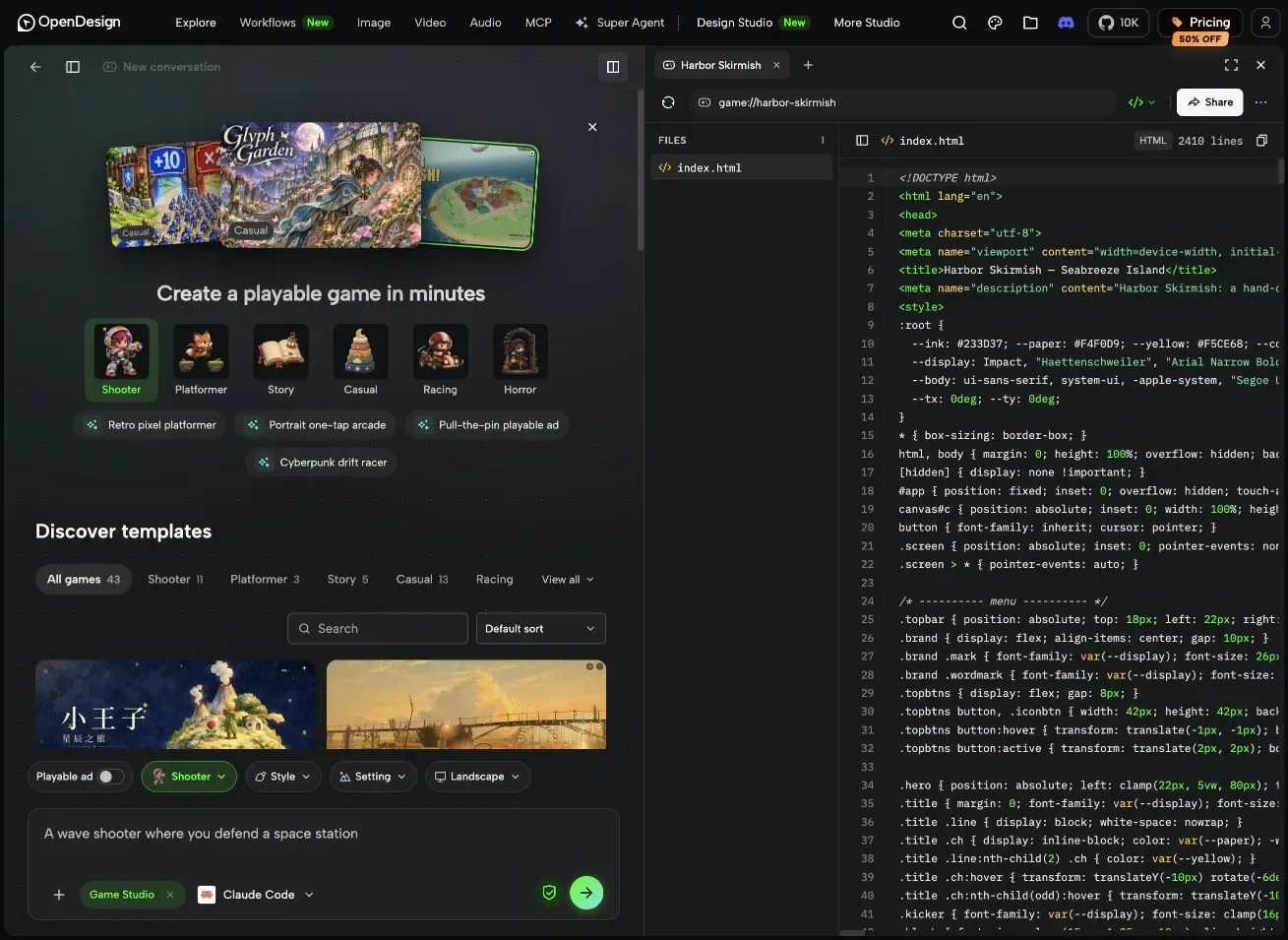
An owned game lives below games/<game-id>/. The repository describes a consistent project context rather than a mandatory monolithic framework:
MOTION_DATA_DIR/
└── games/
    └── <game-id>/
        ├── game.json
        ├── index.html
        ├── *.js / *.css
        ├── assets/
        └── design/
            ├── plan.md
            ├── assets.csv
            └── verification.md
index.html is the playable entry. A game with rule-sensitive, turn-based, puzzle, strategy, or progression logic can provide a deterministic logic.js. design/plan.md records the intended experience and acceptance criteria, design/assets.csv records sources, licenses, and approved costs, and design/verification.md records checks, measurements, and remaining gaps. These files are workflow context for the agent, not an automatic memory system: they help the next person understand why the game exists and what was actually verified.
Two ways to drive the same local project
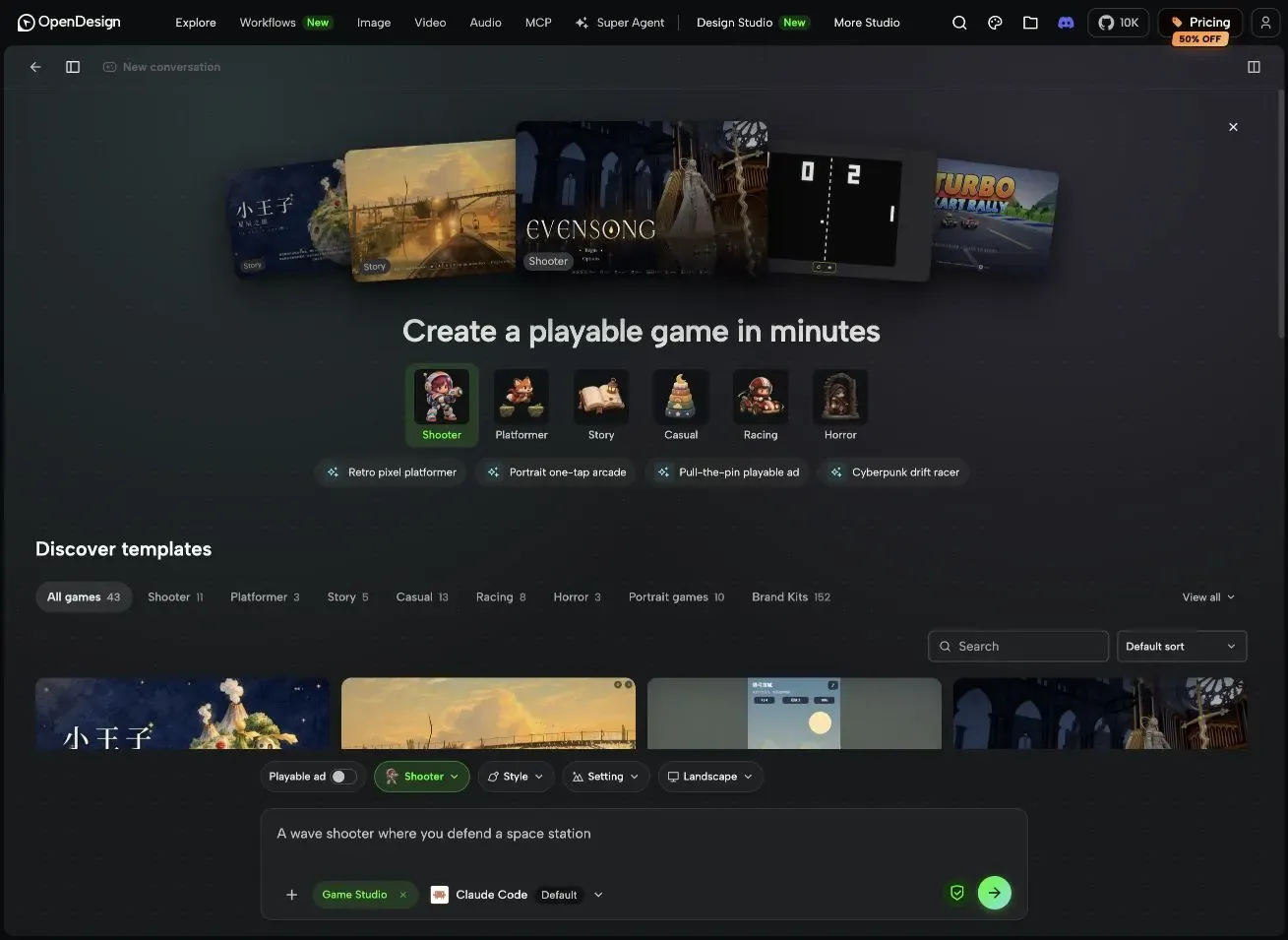
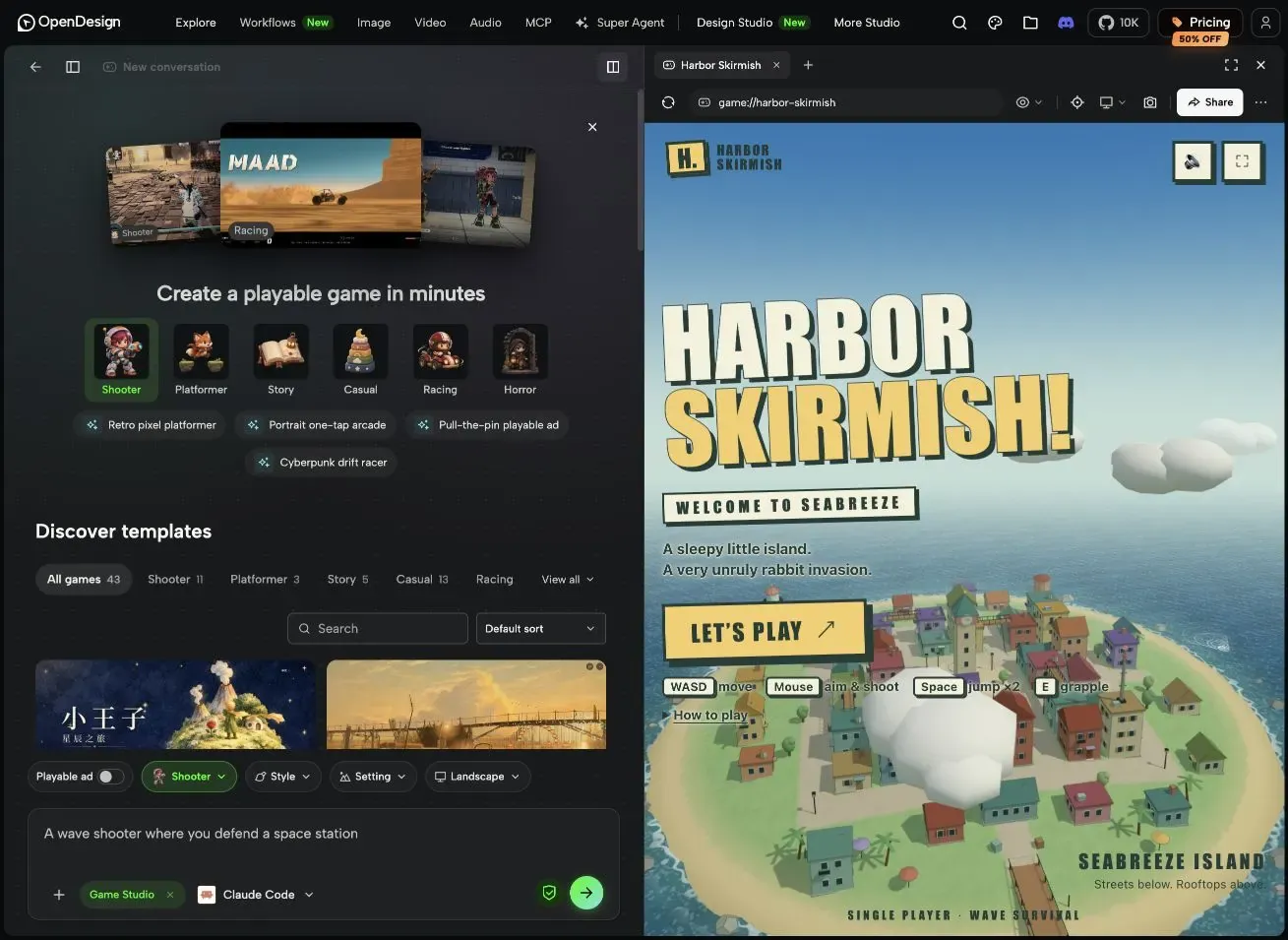
The first path stays inside Game Studio. A creator chooses a template or describes a new game, selects a locally installed and authenticated agent, and submits the brief. The Studio carries the game identity and instructions into its integrated Super Agent runtime. The agent receives tools that can inspect the project, edit its source, run checks, capture a cover, and move the game through its lifecycle.
The second path uses the same domain service from an external MCP-capable client. The setup requires a local stdio MCP connection, an absolute Node executable path, the checkout's mcp.ts, and the same MOTION_DATA_DIR used by Studio. A cloud-only assistant cannot reach that local stdio process by itself, and saving an MCP configuration is not evidence that discovery or execution works. The practical test is to call openmotion_game_get and read the exact draft ID in the intended workspace.
Templates are read-only. A Remix action creates an independent owned copy, which prevents an agent from accidentally modifying the bundled catalog. Existing game projects can be inspected before editing, and writes are restricted to workspace-owned files. The project service serializes mutations within its instance, but it is not an operating-system sandbox: a local agent still runs with the authority granted by its host and workspace.
Creating a draft is not creating a finished game
This is one of the repository's most important operational details. openmotion_game_create creates a draft and returns a complete brief. It does not run a model, implement the game, validate it, or publish it. The integrated Studio handoff or an external agent must do the work. Confusing draft creation with completion would produce an empty shell with plausible metadata.
The source currently defines thirteen game tools even though parts of the documentation still say twelve. The actual set is:
| Stage | Tools | What they establish |
|---|---|---|
| Workspace | create, get, read_file, write_files, update_meta, set_status |
The project exists, can be read and edited, and has a lifecycle state. |
| Evidence | validate, simulate, playtest, capture_cover, trailer |
Specific source, rule, browser, image, or video properties were checked. |
| Delivery | publish, wechat |
A game is listed locally or a guided WeChat publishing workflow advances. |
All retain the openmotion_game_* prefix. The OpenGame rename did not silently change the public MCP identifiers, the specialist openmotion-game workflow skill, or the openmotion://workflow/game/start resource URI. That compatibility matters because external agents discover tools and resources by those exact names.
Validation checks contracts, not taste
openmotion_game_validate is a useful preflight, but it is not a quality certificate. It checks entry scripts and stylesheets for missing local files and sources blocked by the preview. Playable ads are held to a stricter CDN policy. For projects with multiplayer behavior, the validator checks the expected room-membership path and deterministic rule exports. It can run a bounded fifty-tick smoke test and return warnings about a missing cover or incomplete design documents.
A clean validation result therefore means that specified structural checks passed. It does not prove that the renderer looks correct, that controls feel good, or that the game is enjoyable. It also does not prove that every browser, GPU, touch device, and audio path behaves the same way. The command's value comes from catching concrete, reproducible defects before a more expensive browser test.
Deterministic simulation is evidence for rules, not for rendering
Games that implement the expected logic.js interface can be exercised without a browser. openmotion_game_simulate supports one to four players, bounded tick ranges, idle routes, reference routes, and explicit action routes. It returns the terminal state and a limited timeline of snapshots. The supplied game workflow recommends showing that a strong reference route reaches a win, a degraded route struggles or loses, and an idle route terminates within the configured bound.
This is a strong fit for balance-sensitive systems with deterministic state transitions. It is not a substitute for the game's visual layer. A simulation can show that a scoring rule or turn transition is coherent while the actual canvas is blank, the camera points in the wrong direction, or a mobile control is unreachable. The project separates those checks because they answer different questions.
Headless playtesting covers the browser boundary
openmotion_game_playtest uses the application's isolated headless Chromium with SwiftShader. It supports one to four clients, waits for asynchronous loading, can start a conventional #start control, and runs bounded scripts containing key, mouse, wait, screenshot, and state-action steps. When the game exposes window.__omGame, the harness can read an authoritative state snapshot and invoke project-specific self-tests.
Useful assertions include expected phase, player count, net player movement, and horizontal overflow at a narrow viewport. Screenshots and a contact sheet preserve visual evidence. Browser errors, failed requests, and state assertions can expose defects that static validation and rule simulation cannot see.
The tool description is unusually explicit about what remains outside the result: GPU performance, audio quality, touch behavior, and whether a person enjoys the game. Those are not small omissions. They are the difference between a game that passes a smoke test and a game that is ready for an audience. The correct reading is “the scripted browser path produced this evidence,” not “the game is good.”
Cover capture and trailers are delivery artifacts
openmotion_game_capture_cover uses server-owned headless Chrome to capture the running game canvas or #game root at 1280 by 720. It does not control the creator's browser or desktop profile. Input scripts and a bounded delay allow the tool to reach a representative state before capture. A captured cover is concrete evidence that the browser rendered a particular scene, but it is still a snapshot rather than a complete visual audit.
openmotion_game_trailer records three real gameplay clips and turns them into an editable native Motion project before rendering a roughly nineteen-second silent MP4. The workflow is persistent and reports progress, clips, project identity, and video state. The output is useful for distribution, but it does not prove that the source remains fun, that sound design is complete, or that the final video communicates every mechanic accurately.
Local publishing and public sharing are different operations
The name openmotion_game_publish can suggest internet hosting, but the source is more precise. The operation revalidates a game and lists it in the workspace's local game catalog. It returns a local play URL and may return a room invite pattern for an existing multiplayer project. A localhost URL is reachable only from the machine running the service.
Public web sharing is a separate action through openmotion_assets_use with action: "web_publish" and targetKind: "game". It requires an authenticated OpenDesign account and hosting workspace. The service creates a static snapshot, rewrites local media references, and returns a URL. Later source edits do not update that snapshot automatically; the creator must publish another snapshot to reflect changes.
This distinction also appears in multiplayer. New games are single-player. Existing room-based projects retain a local server requirement, and the static sharing path does not deploy that server. A team cannot infer production multiplayer capacity from the existence of local room playtests.
Platform delivery is not one universal publish button
WeChat has a real guided path. openmotion_game_wechat can store an AppID locally, track account, tester, category, review, filing, and release confirmations, check the local IP, request a preview QR code, and upload an authorized version. Credentials are selected through the local panel and are not returned to the agent. Even in that workflow, the external account status, review, filing, and release steps remain real dependencies. The tool guides and records the process; it does not remove WeChat's gates.
TikTok, Douyin, itch.io, and similar destinations are not equivalent to the local publish operation. The repository presents some of them as packaging paths, separate integrations, manual submission routes, or roadmap work rather than a single uniform hosted deployment. Readers should verify the current adapter and platform requirements before planning distribution around the marketing language.
What the agent actually builds on
The repository contains twenty-five playable HTML5, Canvas, and Three.js templates. The default npm distribution ships metadata and covers for the catalog, starter kits, and a playable offline game. On first use, the local service can fetch a version-pinned template bundle, verify its byte count, SHA-256 digest, and archive entries, then install it atomically into a content-addressed cache. Remixing creates a separate owned project, so the installed template remains a source rather than a shared mutable game.
The workflow skill adds genre, control, visual, audio, asset, and verification guidance. It asks the agent to plan the first-glance identity, core verb, progression, signature twist, tuning levers, asset provenance, and acceptance checks before treating the game as complete. It also routes image, music, speech, video, or 3D generation through configured providers when those capabilities are available. Provider credentials, plan limits, submitted generation jobs, and completed usable assets are distinct states; discovery is not proof that a paid job will succeed.
Setup requirements are concrete
- Git, Git LFS, npm, and a compatible Node runtime.
package.jsondeclares Node 22.18.0 or later; the project's CI guide pins Node 26.11.1, and the repository uses TypeScript, React, Vite, Tailwind CSS, and Zustand for the Studio. - A local agent with stdio MCP support for agent-assisted creation. Browsing and playing bundled games does not require an MCP connection.
- Chrome or Chromium for cover capture and headless playtests. Trailers additionally require FFmpeg, ffprobe, and the prepared export runtime.
- An explicit workspace directory shared by Studio and MCP. Keeping project data outside the source checkout reduces accidental edits and makes upgrades safer.
- Provider credentials or an OpenDesign account only when using the corresponding media generation or public hosting services.
The basic source installation is npm ci followed by npm run build:studio, then startup with an absolute MOTION_DATA_DIR. The main workflow is to open the returned preview URL, select Game Studio, remix or create a draft, inspect it, implement the work, validate and playtest it, then capture metadata and publish only when authorized.
Compatibility claims deserve a narrow reading
The README advertises twenty-two supported local agents. The architecture points to twenty-nine client definitions in the source. Those numbers are not necessarily contradictory because “supported,” “defined,” and “fully exercised for the game workflow” can mean different things, but the gap is a warning against treating logo coverage as end-to-end compatibility. A client definition is not evidence that provider-specific permissions, media capabilities, interruption handling, and game tools were tested in every host.
The same caution applies to generated media. Model discovery, provider configuration, submitted jobs, and imported assets are separate states. A successful image generation does not validate the game's art direction, and a completed role is not complete just because the canvas loaded. The repository's stronger claims are the ones tied to local source and reproducible evidence, not its most expansive promotional language.
Who should use it
OpenGame is a good fit for developers who already run local coding agents and want the agent to manipulate a complete, inspectable game workspace rather than emit a single HTML fragment into chat. It is also useful for small teams that need a repeatable path from template to playable browser build with explicit source checks, deterministic rule simulation, browser automation, media provenance, and a local catalog.
It is not yet a proven answer for teams that need long-term platform stability, hardened multi-tenant isolation, hosted multiplayer, guaranteed platform approval, automated judgment of fun, or a managed public publishing service. The repository is too new to establish those properties. Its design is most convincing when treated as a local production workbench: the agent accelerates implementation, the files remain owned and reviewable, and every automated check is reported with its true boundary.
Primary sources
SOURCE LINKS