OPEN SOURCE DEEP DIVE
HyperFrames: Write HTML, Render Video — the Agent-Native Deterministic Video Engine
HeyGen open-sourced HyperFrames defines a video as HTML with data-* timing attributes: no build step, an index.html that plays and previews as-is. At render time headless Chrome seeks and captures frame by frame while FFmpeg encodes, so the same input always yields the same MP4. With 21 agent skills, the frame.md design-system translation layer and a reusable Catalog, coding agents such as Claude Code, Codex and Cursor can run the full plan-write-lint-preview-render production loop; an AWS Lambda path covers distributed renders. Apache-2.0 with no per-render fees.
Positioning in one sentence
HyperFrames is HeyGen's open-source, HTML-native video rendering framework: a video is an HTML file with timing attributes, captured frame-by-frame by headless Chrome and encoded to MP4 by FFmpeg. Its whole pitch is three clauses — write HTML, render video, built for agents. The repo heygen-com/hyperframes is Apache-2.0 licensed with no per-render fees and no commercial-use threshold; HeyGen runs it in production, and teams like tldraw and TanStack are listed in ADOPTERS.md.
The problem it attacks is not "yet another editor" but the handoff problem of video production: React timelines and proprietary project formats are dialects of human tooling that AI coding agents write poorly and refactor worse. HyperFrames' bet is that agents already write HTML fluently — so make the video's source code HTML: no build step, an index.html that plays as-is in the browser, and a CLI that is non-interactive by default. The entire production loop — plan, write HTML, wire seekable animation, add media, lint, preview, render — can then be handed to an agent end to end.
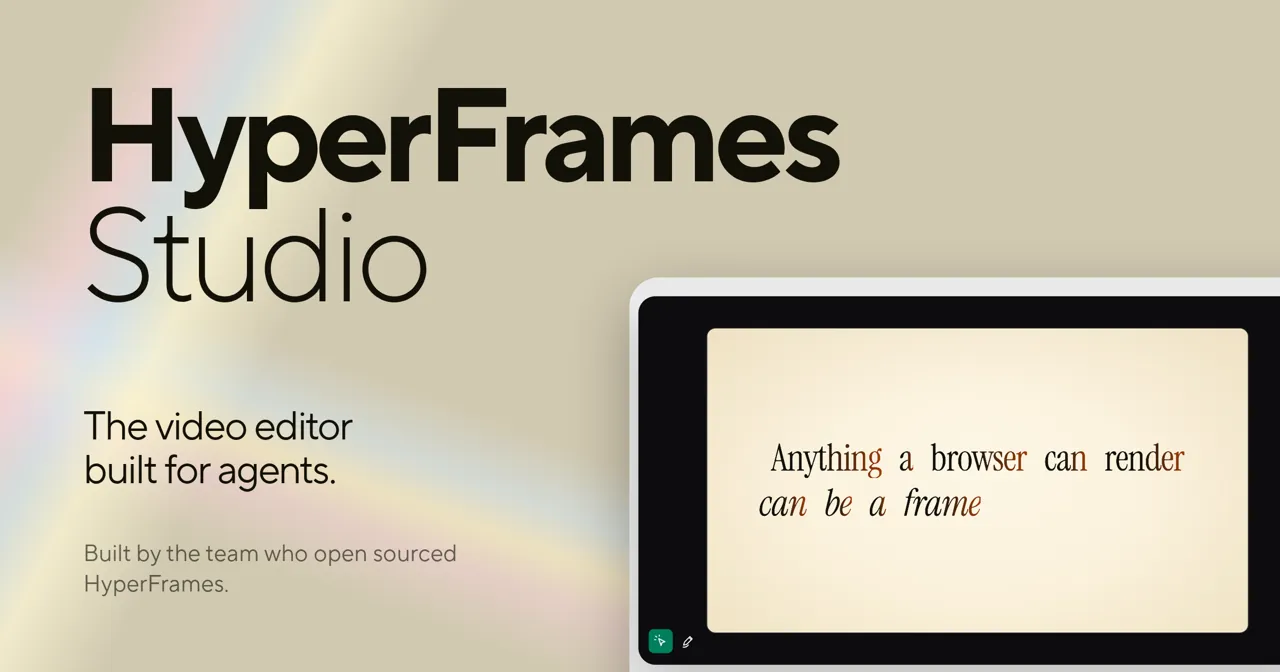
The official Studio visual below states the worldview on the canvas itself: "Anything a browser can render can be a frame."
Data sheet
| Item | Value |
|---|---|
| Repository | heygen-com/hyperframes (Apache-2.0, primarily TypeScript) |
| Stars / forks / watchers (snapshot at ingest) | 62,903 / 5,643 / 166 |
| Created / last push | 2026-03-10 / 2026-10-14 |
| Runtime requirements | Node.js 22+, FFmpeg; distributed renders via AWS Lambda |
| Sites | hyperframes.dev (playground, frame.md gallery) / hyperframes.heygen.com (docs, catalog, showcase) |
| Packages | hyperframes (CLI), @hyperframes/core, engine, producer, studio, player, shader-transitions, aws-lambda |
| Agent surface | 21 published skills plus the /hyperframes router, a Claude Code plugin marketplace, MCP, Figma import |
| Regression baselines | ~240 MB of golden MP4s under Git LFS at packages/producer/tests/**/output.mp4 |
The composition contract: timing lives in attributes, not scripts
A video is a composition. The root element declares data-composition-id and the output dimensions; every timed element carries class="clip" plus three timing attributes: data-start (when it enters), data-duration (how long its slot lasts) and data-track-index (which Studio lane shows it). The runtime keys visibility off data-start; the shared .clip rule only gives a scene its full-frame box. Tracks are not layers — paint order is always CSS z-index; tracks are merely rows Studio draws, and the renderer ignores them.
<div id="stage" data-composition-id="launch" data-start="0" data-width="1920" data-height="1080">
  <video class="clip" data-start="0" data-duration="6" data-track-index="0"
         src="intro.mp4" muted playsinline></video>
  <h1 id="title" class="clip" data-start="1" data-duration="4" data-track-index="1">Launch day</h1>
  <audio data-start="0" data-duration="6" data-track-index="2" data-volume="0.5" src="music.wav"></audio>
</div>
Time can also reference other clips: data-start="intro" means "start when intro ends", and data-start="intro - 0.5" overlaps half a second earlier for a crossfade. References resolve only inside the same composition, the referenced clip must have a known duration, and reference chains must be acyclic. Nested compositions point at another HTML file via data-composition-src; the referenced file wraps its content in a <template>, and paths resolve from the project root — a composition nested two levels deep still writes compositions/foo.html, never ../. Media elements get their own exact contracts: source offset, playback rate, volume. Even CSS pitfalls are written down as rules: a negative-z-index backdrop can be covered by an ancestor background that creates no stacking context, and one isolation: isolate fixes visibility in browser, snapshot and render alike; hyperframes lint reports negative_z_index as a warning, not an error.
What you can build: from launch films to chart races
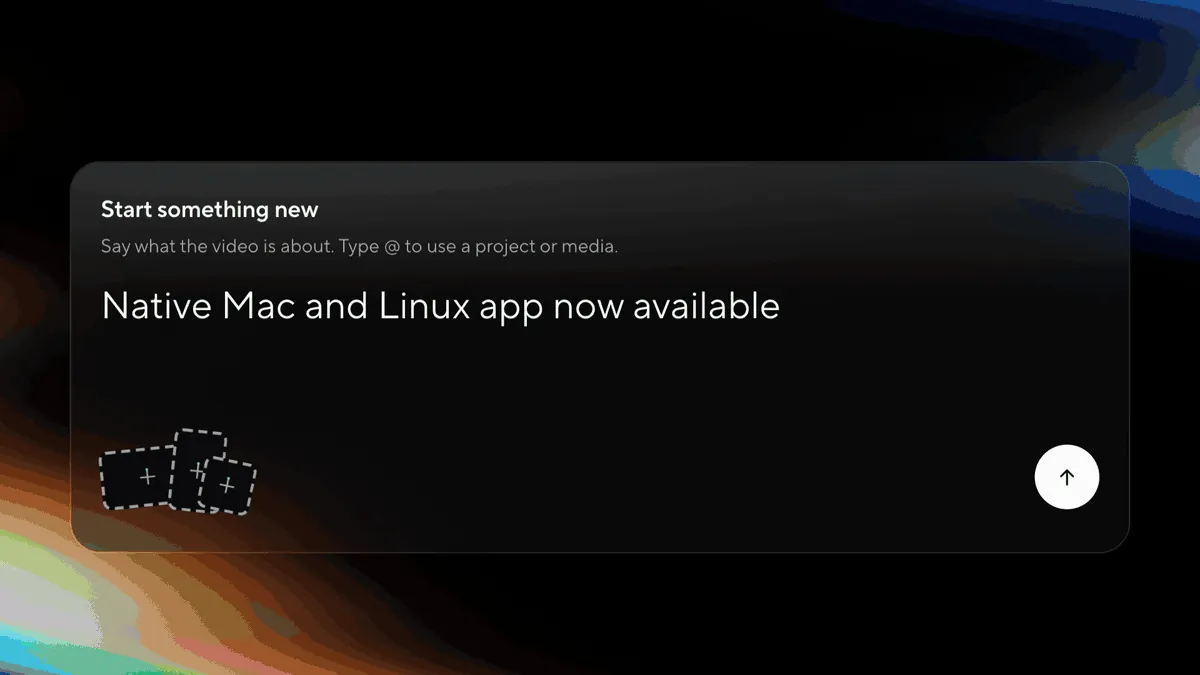
The documented sweet spots are concrete: product launch and feature announcement videos; PR walkthroughs with animated code diffs, narration and captions; data visualizations, chart races and map animations; social videos with kinetic captions, overlays and music; docs-to-video, PDF-to-video and site-tour explainers; and reusable motion graphics for automated content pipelines. The common thread: every frame of these videos can be described in code, versioned, and replayed in CI. The desktop app is here too — the README hero shows the native Mac/Linux app opening from the Dock, where a single prompt box ("Say what the video is about", with @ mentions for projects and media) starts a production.
Deterministic rendering: the frame number is the only variable
"The same input always yields the same video" is the guarantee everything else rests on — automated pipelines, CI regression tests and AI-driven edits all stand or fall with it. The implementation is blunt: rendering never plays your video. It asks, one frame at a time, "what does frame 90 look like?", and the answer depends on exactly one changing quantity: the number 90. The frame clock computes time with integer math, t = floor(frame) / fps, never consulting the wall clock; every animation is seeked to exactly t rather than played to t; Chrome's HeadlessExperimental.beginFrame grabs the pixels in one atomic operation, so no half-painted frame ever escapes; FFmpeg encodes the captured frames and mixes in the audio from your <audio> and <video> elements.
integer math, never a clock"] L["Locked before frame 0:
fps / width / height / variables"] --> T T --> S["Every animation seeked to exactly t
GSAP timelines paused + seeked, never played"] S --> P["beginFrame atomic capture, FFmpeg encode
the same pixels every run"] S -.-> X["Breaks determinism:
Date.now / unseeded Math.random / mid-render fetch"]
Hence rules short enough to memorize: no wall clock (Date.now(), requestAnimationFrame and system timers are all banned), no unseeded randomness, no fetching mid-render (every asset loads before frame 0), fixed output size, finite length. One more layer covers cross-machine drift: fonts and Chrome versions differ between computers, so when pixel-exact reproducibility matters, npx hyperframes render --docker pins the Chromium version, the font set and the FFmpeg encoder — the platform stops being an input. Preview and render look identical because both run the same hyperframe.runtime, the producer's seek behavior is the single source of truth, and the __playerReady / __renderReady gates hold capture until the composition is fully loaded. Speed is the opposite story: preview plays in real time and is limited by your hardware, while render is seek-driven and asks for one frame at a time, so no frame can be dropped — a composition that stutters in preview still renders perfectly.
Runtime and seek protocol: preview, Studio and producer speak one language
The runtime converges its stable surface onto a few globals — window.__player, window.__playerReady, window.__renderReady, window.__timelines, window.__clipManifest — and a postMessage bridge: the parent sends source: "hf-parent" control messages (play, pause, seek, set-muted, set-playback-rate, pick-mode toggles), and the runtime replies with source: "hf-preview" events — state (the whole frame plus exact seconds plus ended, so a parent ends the film on ended instead of comparing times), timeline (whether media, images and fonts have settled), assets-ready, and ready (the control bridge registered; the parent replays any control message sent earlier, and every iframe reload re-emits it because the new runtime starts stateless). The protocol is versioned: RUNTIME_PROTOCOL_VERSION = 1 with capabilities seconds-time, rational-fps, seek-keep-playing, composition-manifest-v1, runtime-data, play-range, and fps expressed as a rational numerator/denominator rather than a float. Before rendering, the producer validates the pinned runtime checksum from the manifest; the runtime bootstrap URL must be version-pinned and host-allowlisted; iframe bridge payloads are schema-validated; javascript: and unapproved data: URLs are rejected; an unhealthy handshake fails closed.
Frame adapters: any animation library, made seekable
The animation layer is pluggable: GSAP, CSS animations, Lottie, Three.js, Anime.js, WAAPI, or your own frame adapter. The contract has four clauses: seekFrame(frame) returns the same result for the same frame number; seeks may arrive in any order (the renderer jumps around); nothing may resolve after a frame is committed; and the lifecycle is exactly init → seekFrame (many) → destroy. GSAP usage is disciplined into one rule: create timelines with paused: true, register them on window.__timelines[compositionId], and let the runtime seek them per frame — library-clock animation becomes frame-accurate here, which is precisely the difference from wall-clock animation patterns. The repo even ships hyperframes keyframes, a diagnostic command that inspects rendered motion after the fact.
The render pipeline: engineering depth from capture to encode
The engine package is where determinism gets executed, and the file sizes tell the story: frameCapture.ts at ~218 KB owns per-frame capture, warmup, static-frame dedup, motion blur and sub-timeline memos; videoFrameExtractor.ts at ~102 KB decodes input video into frame ranges with a download cache and error classification; audioMixer.ts at ~64 KB handles mixing and fade grouping; chunkEncoder.ts and streamingEncoder.ts cover chunked and streaming encode; parallelCoordinator.ts with browserLeasePool.ts leases multiple headless browsers to capture frames in parallel; screenshotService and drawElementService are two capture paths switched by GPU capability; and hdrCapture, threeDProjection, chromeMemorySampler plus systemMemory (automatic concurrency reduction on low-memory hosts), extractionCache and fileServer round it out. Error handling is policy, not habit: orchestration services throw; FFmpeg process wrappers always resolve with { success, error? } and never reject; cleanup functions swallow every exception so they can never mask the original failure.
Several capture-path details deserve naming: static-frame dedup reuses committed frames for intervals where nothing moves; motion blur is sub-frame sampling, not a post filter; HDR and color management get their own hdrCapture plus a 152 KB colorGrading module (curves, LUTs, media-grade analysis), with a dedicated filter chain for tagging SDR captures as BT.709; the 4K and performance guides make the "preview stutter ≠ render stutter" argument rigorously. On the parallel side, parallelCoordinator distributes work frames across leased browsers and isolates peer aborts; on the memory side, cgroup limits and host totals are sampled so low-memory machines converge concurrency automatically. None of this is documentation folklore — each piece arrives with its own test file.
Determinism's second gate is golden-file regression: ~240 MB of baseline MP4s under Git LFS at packages/producer/tests/**/output.mp4, compared frame by frame whenever the pipeline changes. Distributed rendering has two shipped paths: local multi-browser parallelism, and @hyperframes/aws-lambda, which deploys a render stack you drive from your laptop or CI — and the docs concede plainly that Remotion Lambda is more mature.
Audio as a first-class citizen: carve, effect chains, submix buses
Sound is not an afterthought: <audio> and <video> tracks are mixed into the final film by the producer. The /hyperframes-audio skill covers three layers: voiceover carve — dipping the music bed only in the frequency bands the voice occupies (static or dynamic), level matching included; an effect chain of EQ, compressor, limiter, gate, saturation, delay, reverb, chorus, phaser and bitcrush; and automation envelopes on volume or any effect parameter. The <hf-audio-group> submix bus lets several tracks share one chain, one fader and one automation clock. On the preview side, webAudioTransport guarantees that what you hear and what you render run the same algorithms. Sourcing lives in /media-use, a "media OS": BGM, SFX, images, icons, logos, voice, color grades and LUTs all resolve into frozen local files or paste-ready blocks plus a ledger record; when the catalog misses, it generates via TTS, music or image models, and it also transcribes, captions, removes backgrounds and reuses assets across projects.
Engineering culture: determinism written into tests and contracts
The most striking thing in the source tree is not a feature but the test-to-implementation ratio: audioMixer.ts (64 KB) ships with 56 KB of tests, screenshotService.ts (40 KB) with 39 KB, videoFrameExtractor.ts (102 KB) with 141 KB, init.ts (226 KB) with 248 KB. Nearly every module has a same-magnitude .test.ts sibling, named at the granularity of one failure mode per file — frameCapture-staticDedupBoundary, clock-drift, clock-stall, pausedTransportInvariant. Contracts do not live in comments: docs/contracts/ holds dated contract fixtures (the 2026-10-07 composition probe and document-idle readiness pages); the engine's package header documents error conventions, cleanup semantics and nullable-lookup return strategies; canary and canaryRegistry register which paths must go red immediately on regression; file writes go through atomicFile (temp then replace), and path resolution goes through safePath with 9 KB of traversal-attack tests. A framework that delivers video as an artifact first treats itself as a system worth regressing.
Agent-native: 21 skills and one router
HyperFrames productizes "teaching agents to make video": 21 published skills fronted by the /hyperframes router — a capability map that, for any "make me a…" request, picks a workflow (video, deck, or composition port) and installs the domain skills on demand. Installation is deliberately tiered: Claude Code gets a versioned plugin marketplace (claude plugin marketplace add heygen-com/hyperframes); standalone installs use npx skills add heygen-com/hyperframes; and non-interactive or agent runs should use npx hyperframes skills update, which installs exactly the core set from current main (the skills.sh registry blob can lag main by hours). The CLI stays non-interactive by default — init / lint / check / snapshot / preview / render / publish / doctor plus cloud render and Lambda subcommands — so Claude Code, Codex, Cursor, Gemini CLI, IBM Bob and any skills-capable agent can drive the full production loop.
The creation workflows and domain skills split responsibilities cleanly: the router only routes, workflow skills own "what kind of piece", and domain skills own one atomic layer, pulled on demand.
| Skill | Creation task it covers |
|---|---|
/motion-graphics | Short unnarrated design-led motion (~under 10s): kinetic type, stat/chart hits, logo stings, animated tweets; MP4 or transparent overlay |
/music-to-video | A music track (file, extracted from video, or generated from a mood brief) → beat-synced lyric, slideshow or kinetic promo |
/talking-head-recut | Packaging interview/podcast footage with designed overlays: lower-thirds, data callouts, kinetic titles, pull-quotes, side panels, PiP |
/embedded-captions | Captions/subtitles on existing talking-head video (footage untouched): verbatim rail, embedded climax, pure-cinematic embed |
/slideshow | Presentation/pitch decks: discrete slides, fragment reveals, branching, hotspot navigation, presenter mode — a navigable deck, not a video |
/general-video | Everything else: multi-scene pieces, brand sizzles, title cards, static loops; home of companion mode with the full toolbox |
/remotion-to-hyperframes | One-way port of an existing Remotion (React) composition's source into HyperFrames HTML |
frame.md: translating your design system for the camera
Every brand has a design.md; none were written for a camera. frame.md is the missing translation layer: the same tokens and rules, inverted for the frame — scale, bleed, caption safety, motion rhythm — so an agent can compose a promo without guessing at scale or reaching for web chrome. The output is a DESIGN.md superset the whole toolchain can read; the creed is "atoms stay sacred, composition stays free, numbers come from the script." The gallery at hyperframes.dev/design ships remixable templates (Biennale Yellow, Blockframe, Blue Professional, Bold Poster, Broadside, Capsule, Cartesian, Cobalt Grid and more); design handoff gets dedicated Claude Design and Open Design guides, and the Figma skill imports assets, tokens, components and storyboard sections, reconstructing motion (frames read as states, not slides) with Motion animations and shaders over MCP.
Ecosystem position: facing Remotion directly
HyperFrames does not hide its debt to Remotion — both render with headless Chrome and FFmpeg. The real divergence is the authoring model: Remotion bets on React components; HyperFrames bets on plain HTML that humans and agents can both write easily.
| Dimension | HyperFrames | Remotion |
|---|---|---|
| Authoring | HTML + CSS + seekable animation | React components |
| Build step | None; index.html plays as-is | Bundler required |
| Agent handoff | Plain HTML files | JSX / React project |
| Library-clock animation | Seekable, frame-accurate via adapters | Wall-clock patterns need care |
| Distributed rendering | Local parallel + AWS Lambda | Remotion Lambda, more mature |
| License | Apache-2.0 | Source-available Remotion License |
The outer ring keeps growing: the Catalog installs ready-made blocks with npx hyperframes add flash-through-white / instagram-follow / data-chart (shader transitions, social overlays, animated charts, maps, effects); Studio is the browser-based composition editor; @hyperframes/player packages a composition as an embeddable <hyperframes-player> web component, so a site can embed a "live" HTML video without rendering a file first; @hyperframes/shader-transitions adds WebGL transitions; and hyperframes.dev is a community playground whose Showcase pieces can be watched, read, run and remixed.
Three more product pieces complete the picture: Studio's primary interaction is prompt-plus-element-picking, with manual precision controls as the secondary mode — the team explicitly refuses a timeline-first manual workflow as the default product path; telemetry is redacted by default through a dedicated telemetryRedaction module, treating "whatever an agent wrote into the HTML" as untrusted input; and the security model mirrors the runtime's — schema-validated bridge payloads, URL-scheme allowlists, fail-closed handshakes.
Boundaries and limitations
First, the cost model: seek-driven rendering scales linearly with frame count, and expensive frames (Three.js, shaders, 4K/HDR) saturate headless Chrome and memory; low-memory hosts rely on automatic concurrency reduction and leased parallelism, and serious volume still moves to Lambda or a Docker farm. Second, the discipline cost of determinism: a wall clock, unseeded randomness, or a mid-render fetch silently destroys reproducibility; golden baselines catch pipeline regressions but not an author's broken scene, and lint/check are guardrails, not insurance. Third, ecosystem age: the Lambda path is younger than Remotion Lambda, Studio is labeled "Available, evolving", and manual timeline editing is deliberately not the primary path (prompt + picking is), which demands a mental gear-shift from traditional editors. Fourth, runtime requirements: Node 22+ and FFmpeg are hard dependencies, and a full clone pulls ~240 MB of LFS goldens.
Verdict: who should adopt it now
If your videos are produced rather than cut — launch films, PR walkthroughs with animated code diffs, chart races and map animations, social cuts with kinetic captions, docs-to-video and site tours, reusable motion pieces inside content pipelines — HyperFrames gives that pipeline a source form that can be versioned, regressed and handed to an agent. Its sharpest edge is not any single effect but turning "same input, same video" from a slogan into an engineering contract with golden baselines, a versioned protocol and checksum gates; layered with frame.md translating design systems into camera language, HTML — the dialect everyone already speaks — becomes a production format for video for the first time.
The community surface is worth noting too: Discord is the main square, and the maintainers publish a "book a casual 30-minute conversation" user-research calendar with no sales pitch — just real workflows. For a repository created in March 2026, six months to ~63k stars while shipping docs, skills, contracts and golden regression in parallel is itself evidence: HTML-native video was a lane — an open standard — waiting to happen.
"Anything a browser can render can be a frame."