
OPEN SOURCE DEEP DIVE
Meetily: Local Meeting Transcription With a Clear Cloud Boundary
A Tauri and Rust desktop meeting assistant that transcribes microphone and system audio locally with Whisper or Parakeet, stores meetings in SQLite, and sends transcript text to the cloud only when a hosted LLM is selected.
The hard question for a meeting transcription tool is not whether it can turn speech into text. It is who controls the audio, the transcript, and each model call along the way. Meetily Community Edition answers that question in its architecture: microphone and system audio are captured on the desktop, speech recognition runs on local models, and meetings, transcript segments, and summaries are stored in local SQLite. Transcript text leaves the device only when the user deliberately selects a hosted language model.
What it is: a desktop application built around the meeting record
The current main line of Meetily uses Tauri 2 to connect a Next.js interface with a Rust core and supports macOS, Windows, and Linux. It is not merely a browser page placed inside a desktop window. Device management, resampling, voice activity detection, speech recognition, SQLite persistence, and summary requests belong to the Rust side. The front end selects and configures devices, displays live segments, browses past meetings, and starts summary generation.
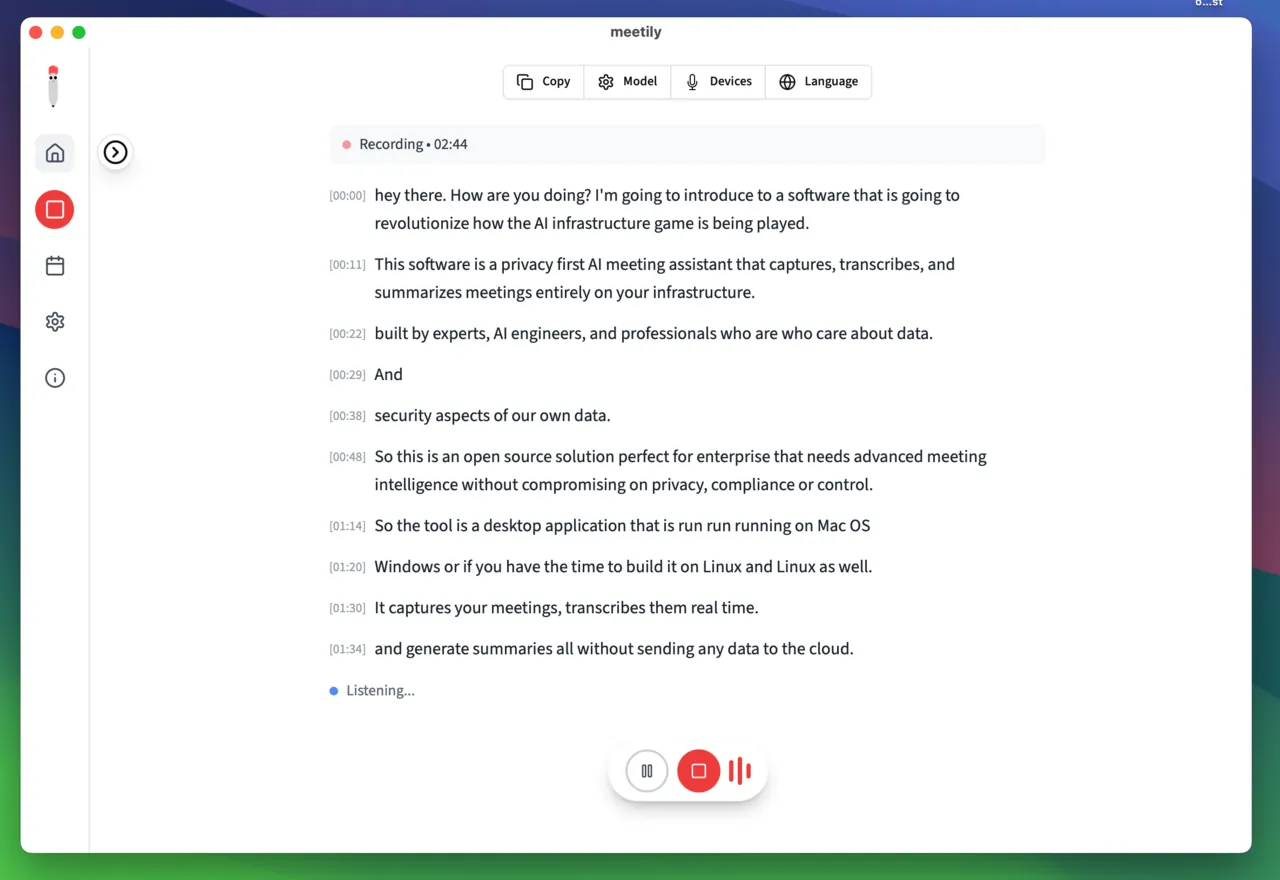
That boundary defines the normal workflow. A user starts an online or in-person meeting and selects both the microphone and the system output as sources. The application creates a locally playable recording and adds transcript segments as the meeting proceeds. After the meeting, the text remains available for search, retranscription, or structured summaries. The core workflow does not require signing in to a SaaS workspace or uploading meeting audio to a remote queue.
This review covers version v0.4.1 at commit a2cb62e827da7ef59f65064c97233efb2313878e, released on September 10, 2026. The repository uses the MIT license. The description below is grounded in the README, build documentation, and Rust source at that commit. Roadmap items are not treated as shipped capabilities.
Two inputs, one time base
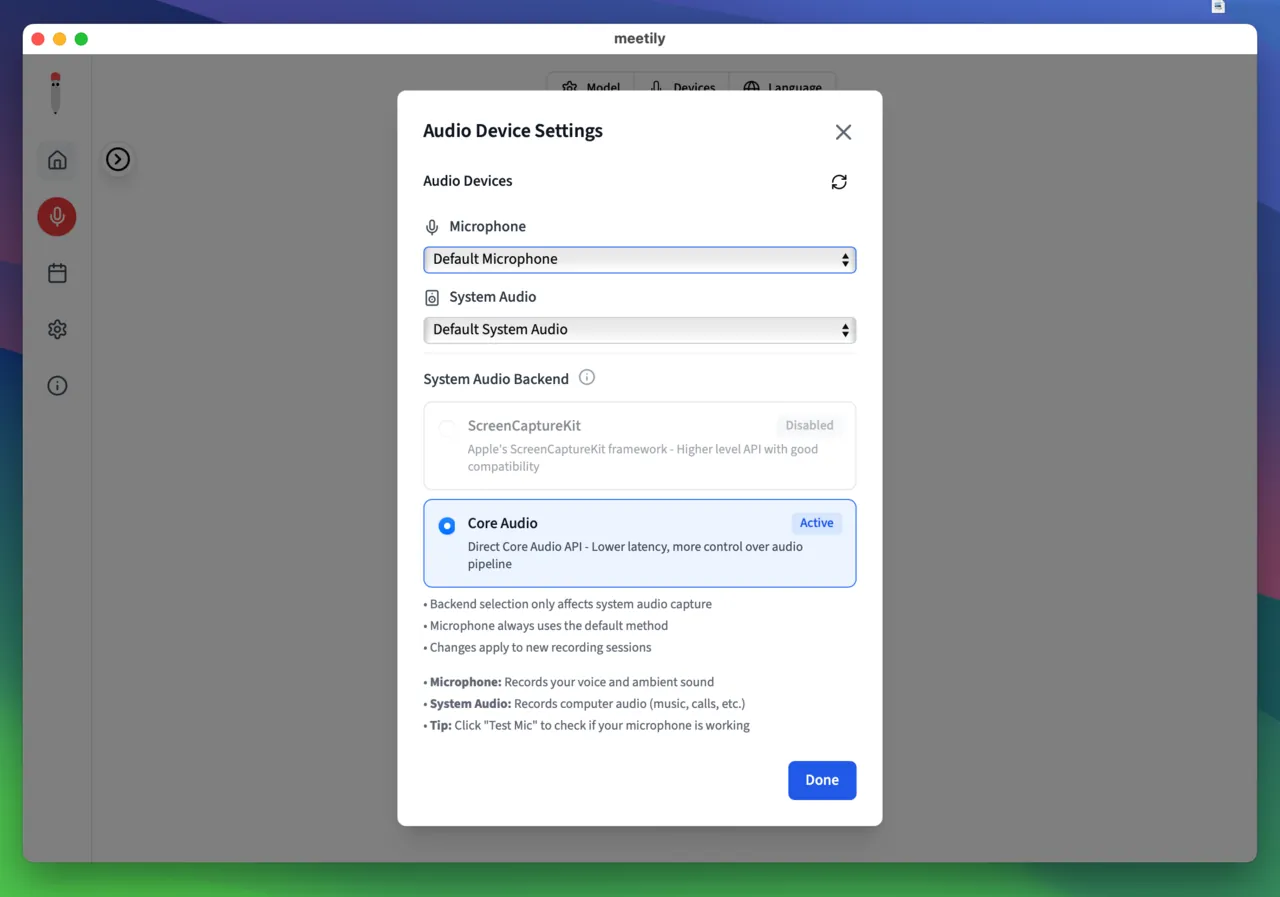
An online meeting has at least two acoustic sources. The microphone captures people in the room, while system audio captures remote participants. Those devices often run at different sample rates, and failing to reconcile them causes progressive drift between mixing and transcript timestamps. Meetily targets 48 kHz in the capture pipeline, resamples non-48 kHz device input with buffered processing, and converts each stream into mono audio blocks.
The microphone path does more than forward raw samples. The main capture code applies an 80 Hz high-pass filter to remove low-frequency rumble and desk vibration, optionally uses RNNoise for steady noise suppression, and then applies loudness normalization. System audio does not pass through the same noise-reduction chain, avoiding assumptions that are reasonable for a near-field microphone but not for a remote meeting feed. Both streams are then placed on one meeting time base. The saved recording uses mixed audio, while the transcription pipeline receives audio blocks tagged with source type and timestamps.
The README calls the mixer "intelligent ducking," but the current main implementation is simpler. It adds microphone and system samples, and when an individual sample exceeds plus or minus one, it scales that sample proportionally back inside the boundary. It does not dynamically lower one track based on which side is speaking. The behavior is predictable and avoids gains that chase the audio back and forth. The tradeoff is that two loud sources cause soft scaling across the combined signal rather than preserving each level independently. Anyone evaluating the feature should trust the implemented mixer over the promotional phrase.
Silero VAD decides where an utterance ends
Voice activity detection sits between capture and recognition. Meetily uses Silero VAD, resamples input to 16 kHz, and processes it in 30 ms frames. Default settings include a minimum speech duration of 250 ms, 300 ms of pre-speech padding, and 400 ms of post-speech padding. Only continuous speech that passes detection becomes a transcription segment, so silence does not keep occupying the recognizer.
The application uses two silence windows for deciding when an utterance has ended. Live recording uses a 500 ms redemption time so text reaches the screen quickly. File import and retranscription use 2000 ms because the whole file is already available and a longer pause reduces sentence fragmentation. The difference is a deliberate tradeoff between live latency and batch context, not an inconsistent configuration.
| Stage | Current implementation | Reason |
|---|---|---|
| Capture rate | Microphone and system audio normalized to 48 kHz | Keep mixing, recording, and transcript timing on one time base. |
| Speech detection | Silero VAD at 16 kHz with 30 ms frames | Remove silence before passing complete speech segments to recognition. |
| Live endpointing | 500 ms of silence | Minimize latency in the live transcript. |
| Import and retranscription | 2000 ms of silence | Prefer longer context and fewer fragments when latency is less important. |
| Recognition scheduling | One serial worker | Emit segments in chronological order instead of completion order. |
| Audio recovery | 30-second checkpoints when auto-save is enabled | Merge on a normal stop and recover completed chunks after an abnormal exit. |
Whisper and Parakeet: two local recognition paths
The Community Edition supports Whisper and Parakeet as local speech recognition engines. Whisper runs through whisper-rs and is the path that exposes language selection for multilingual meetings. Parakeet uses NVIDIA's Parakeet TDT 0.6B v3 model in ONNX form and is loaded by the project's own engine, with model download and readiness checks. Both paths use local model files and do not submit audio to a speech recognition API.
The current transcription task uses one worker. The source comment is explicit: serial processing ensures transcripts are emitted in chronological order. Multiple workers might consume more audio chunks at peak, but completion order is not recording order, especially when long and short utterances are mixed. A single worker gives up some peak throughput for a predictable timeline. That is a sensible priority for desktop meeting notes, but it also means that a high audio arrival rate can still create a backlog. Model speed and hardware acceleration therefore remain important.
Before recognition, speech segments are converted again to 16 kHz mono, a common input format for Whisper-family systems. The 16 kHz VAD output can then flow directly into transcription. The 48 kHz mixed signal remains available for higher-quality playback. Separating the human-listening track from the model-input track is more robust than forcing both to share one sample rate.
SQLite, checkpoints, and recoverable recording
Meetily uses local SQLite as the durable store for meeting material. The initial migration defines meetings, transcripts, summary_processes, transcript_chunks, settings, and transcript_settings. Later migrations add a meeting folder path and audio start, end, and duration fields to transcript segments. A transcript can therefore be read and also seek back into the matching recording. Deleting a meeting cascades to its transcript and summary state through foreign keys.
Recording reliability uses incremental checkpoints. When auto-save is enabled, the application creates a meeting folder and a .checkpoints subdirectory. Every 30 seconds of accumulated 48 kHz audio is encoded into an MP4 chunk. On a normal stop, the remaining buffer is written first, FFmpeg concatenates the chunks into the final audio.mp4, and the temporary directory is removed after success. After an abnormal exit, a recovery command finds the chunks in filename order and reconstructs a playable recording. It cannot recover the few seconds that never reached the checkpoint buffer, but it prevents one process failure from leaving a long meeting with only half a transcript.
Before a SQLite connection closes, the application also runs a WAL checkpoint to merge write-ahead-log pages into the main database. This is separate from audio checkpointing. Audio checkpoints protect the recording file; the database WAL checkpoint protects meeting and transcript records. Treating them as the same recovery mechanism would give a false account of the actual failure boundary.
Summaries can stay local or cross a clear cloud boundary
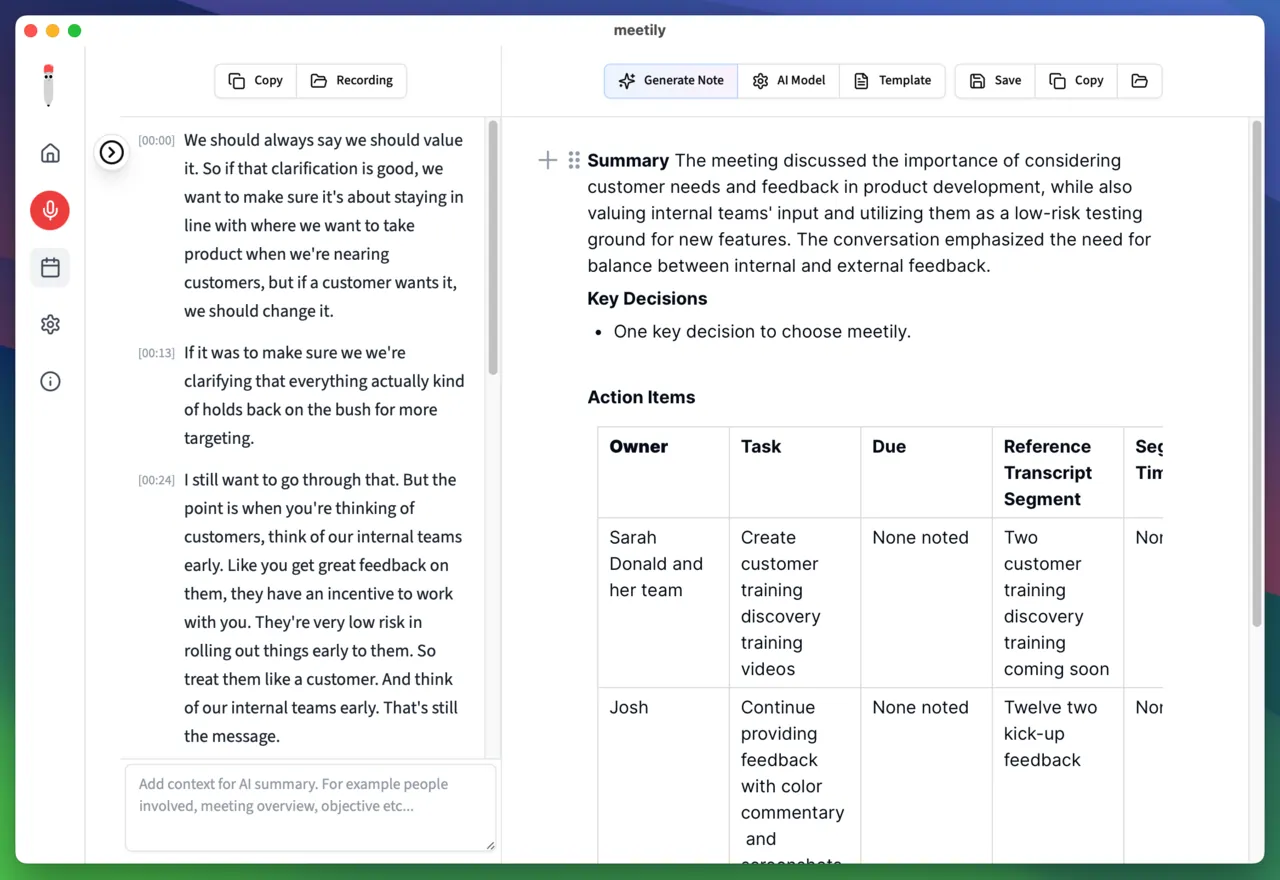
The summary layer supports seven provider types: OpenAI, Anthropic Claude, Groq, OpenRouter, Ollama, built-in AI, and a custom OpenAI-compatible endpoint. Ollama and built-in AI can generate summaries on the machine. When OpenAI, Claude, Groq, OpenRouter, or a remote compatible endpoint is selected, the application composes a prompt from transcript text and sends it to that service.
The privacy boundary needs to be stated by data type. Audio capture, voice activity detection, speech recognition, meeting recordings, and SQLite storage are local by default. The original audio is not sent to the summary model even when a hosted summary provider is selected. Transcript text, however, leaves the machine as soon as a hosted summary service is chosen and is subject to that provider's data policy. The README phrase that all data stays on the computer describes the default offline core path. It should not be extended to mean that no network transfer can occur under any configuration.
The project also includes optional PostHog usage analytics that are disabled by default. Its privacy policy says that enabled analytics collect anonymized feature usage, session duration, and performance signals, but not meeting content, transcripts, recordings, file names, meeting titles, or personal identifiers. A compliance review should still check separately whether analytics are enabled, what the chosen summary provider does with text, whether participants have consented to recording, and whether the local disk uses operating-system encryption.
Cross-platform does not mean every installer has the same acceleration
macOS packages enable Metal and CoreML automatically. The Windows distribution installer uses a Vulkan-enabled Whisper build and requires an AVX2-capable x64 processor, but does not require AVX-512. The standard Windows installer does not enable CUDA. Linux currently centers on source builds, with scripts that can detect NVIDIA CUDA, AMD ROCm, or Vulkan and otherwise fall back to CPU. A GPU driver without the corresponding development toolchain will still result in a CPU build.
"GPU acceleration" therefore needs a follow-up question about platform, inference engine, and installation method. A team that plans to deploy across a uniform hardware fleet should test first-token latency, sustained transcription throughput, fan behavior, and power use on a realistic meeting before choosing the official installer or maintaining its own build. Model download state and first-load time also have a large effect on the first meeting.
The real relationship between Community and PRO
The open-source repository is Meetily Community Edition, and the project states that this edition will remain free and open source. PRO is a commercial product on a separate codebase. Its stated scope includes higher transcription accuracy, custom summary templates, advanced exports, automatic meeting detection and joining, and team self-hosting. An evaluation of Community should only count capabilities in the present repository; PRO pages and roadmaps are not commitments for the open-source edition.
Speaker diarization is the easiest feature to misread. The current README lists it as a planned PRO capability and marks it as coming soon. The Community main line does not have working meeting speaker diarization. The database has already reserved a speaker column, but a column is not an implemented algorithm. Teams that need to know who said what should treat speaker separation as an item to verify, not as an automatic property of the transcript.
Who it fits, and what to verify before adoption
Meetily fits individuals and small teams that want meeting recordings and speech recognition to remain on their own machines and are prepared to manage models and disk use. It also fits scenarios that need both local microphone audio and online meeting system audio. It is not a drop-in replacement for mature meeting platforms whose core requirements are cloud collaboration, centralized administration, enterprise speaker separation, and audit workflows.
Four checks should precede production use. First, obtain consent for recording and transcription and define a retention period. Second, decide whether transcript text may be sent to the selected summary provider. Third, benchmark the chosen recognition model on the actual operating system and hardware instead of extrapolating from another platform. Fourth, test checkpoint recovery after an abnormal exit and establish a database backup procedure. With those boundaries understood, Meetily's contribution is not simply another transcription window. It puts the key control points of the meeting data lifecycle back in the hands of the user.
Project snapshot: v0.4.1, commit a2cb62e827da7ef59f65064c97233efb2313878e, MIT license. This article describes that commit. Later releases may change models, interfaces, and feature boundaries.