
OPEN SOURCE DEEP DIVE
MR Office: Six Open-Source Editors with an Agent-Ready MCP Bridge
MR Office opens six React editors and a local-first MCP bridge for agent drafting, human editing, page rendering, and export, with a clear boundary around its closed office-format engine.
Start with the boundary, not the feature list
MR Office publishes six browser editors and an MCP server for AI clients. The editors cover documents, spreadsheets, presentations, PDF, handwriting, and code, sharing a common core and host interface. The repository is not a complete open-source office suite, and it does not claim unrestricted Microsoft Office compatibility. That distinction is the most important fact for anyone evaluating the project.
The open-source build can save its own document formats and can open HTML, Markdown, plain text, CSV, TSV, and PDF. It can also be embedded in another React application through npm packages. Full Word, Excel, and PowerPoint round-tripping, function-backed spreadsheet calculation, charts, SmartArt editing, and persistent PDF modification live in MR Office's separate free but closed-source desktop component. The repository states this split directly instead of presenting proprietary engine behavior as part of the AGPL code.
Six editors with different jobs
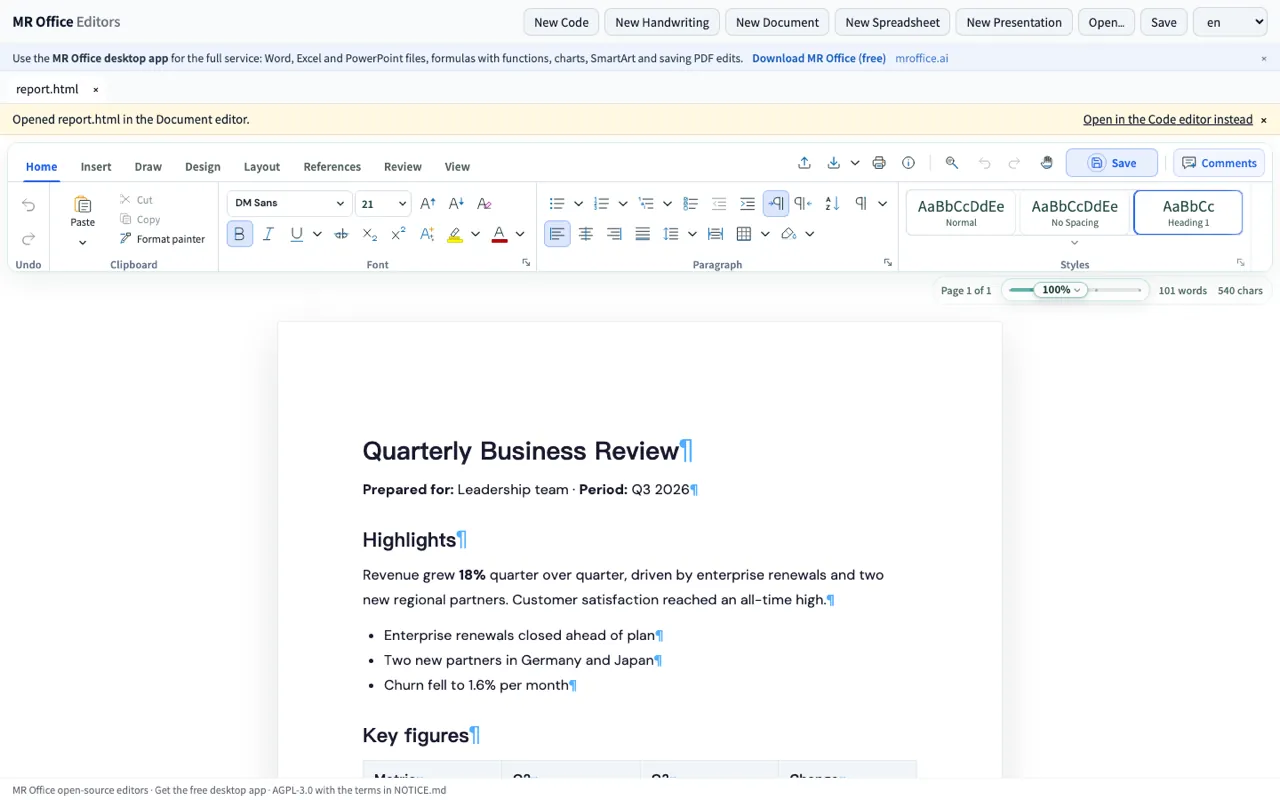
The document editor is a paged word processor. It supports styles, fonts, lists, tables, headers and footers, sections, columns, page setup, pictures, shapes, text boxes, equations, symbols, charts, SmartArt, comments, tracked changes, find and replace, word count, and pen input on the page. The open build saves a structured .mrdoc file that reopens with its document semantics intact.
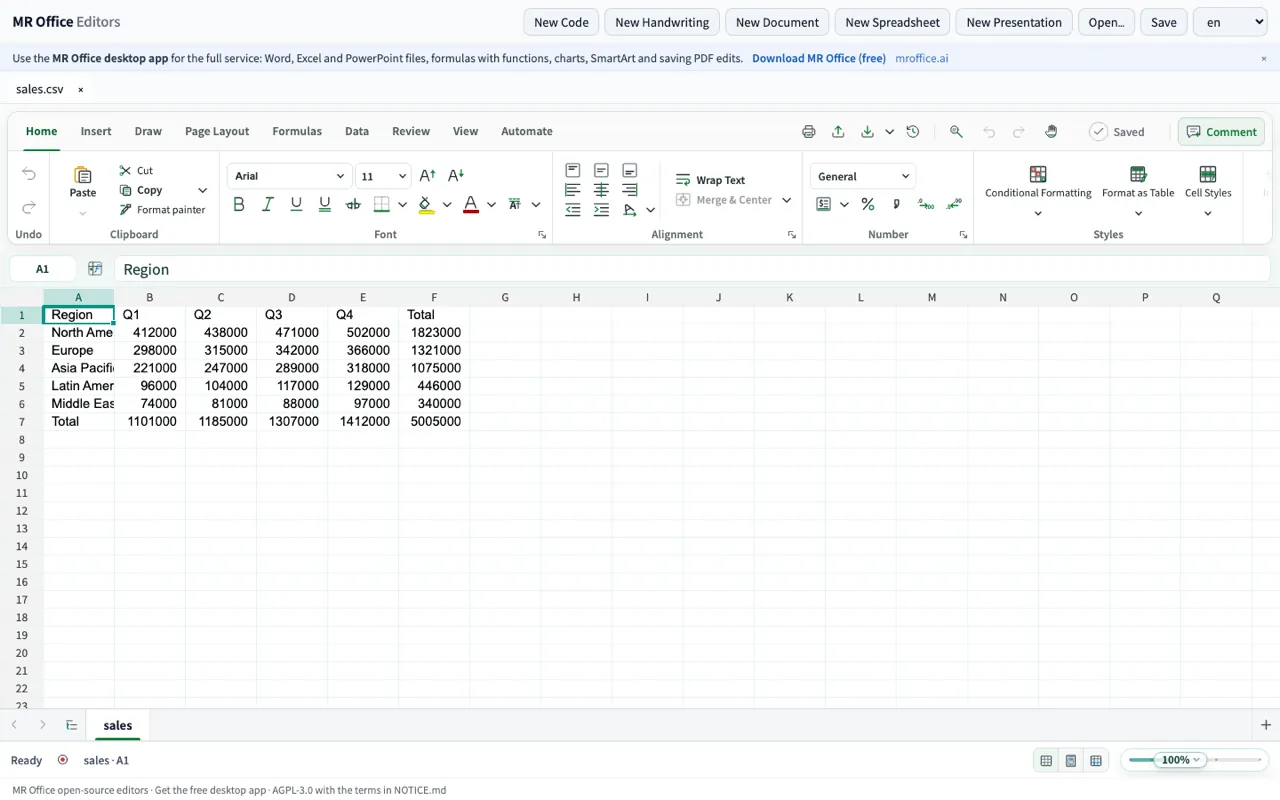
.mrdoc.The spreadsheet editor provides cells, formula text, number formats, conditional formatting, sorting, filtering, frozen panes, multiple sheets, and selection summaries. Arithmetic such as =A1*B1+10 is calculated in the browser, while CSV and TSV files can be opened and saved. The limitation matters: formulas containing functions, charts, and more complex rendering depend on the desktop application's dedicated engine. The open editor preserves those objects, but users should not assume every function will recalculate in a pure browser deployment.
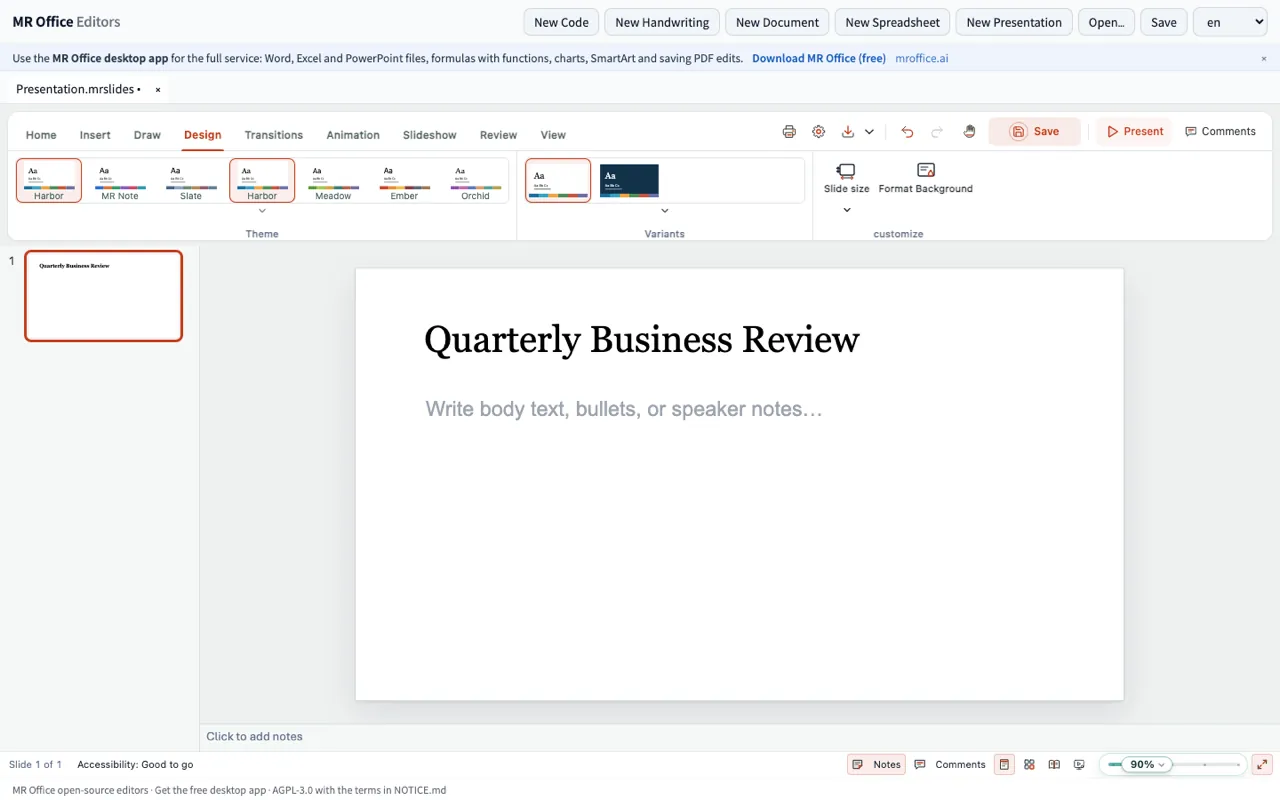
.mrsheet.The presentation editor is built around slide authoring rather than static preview. It includes themes, layouts, master and layout views, text, shapes, text boxes, tables, WordArt, equations, comments, sections, transitions, animation preview, and slideshow playback. It saves .mrslides. The implementation is useful for a product that needs its own presentation layer, but native .pptx exchange still belongs to the desktop component or hosted service.
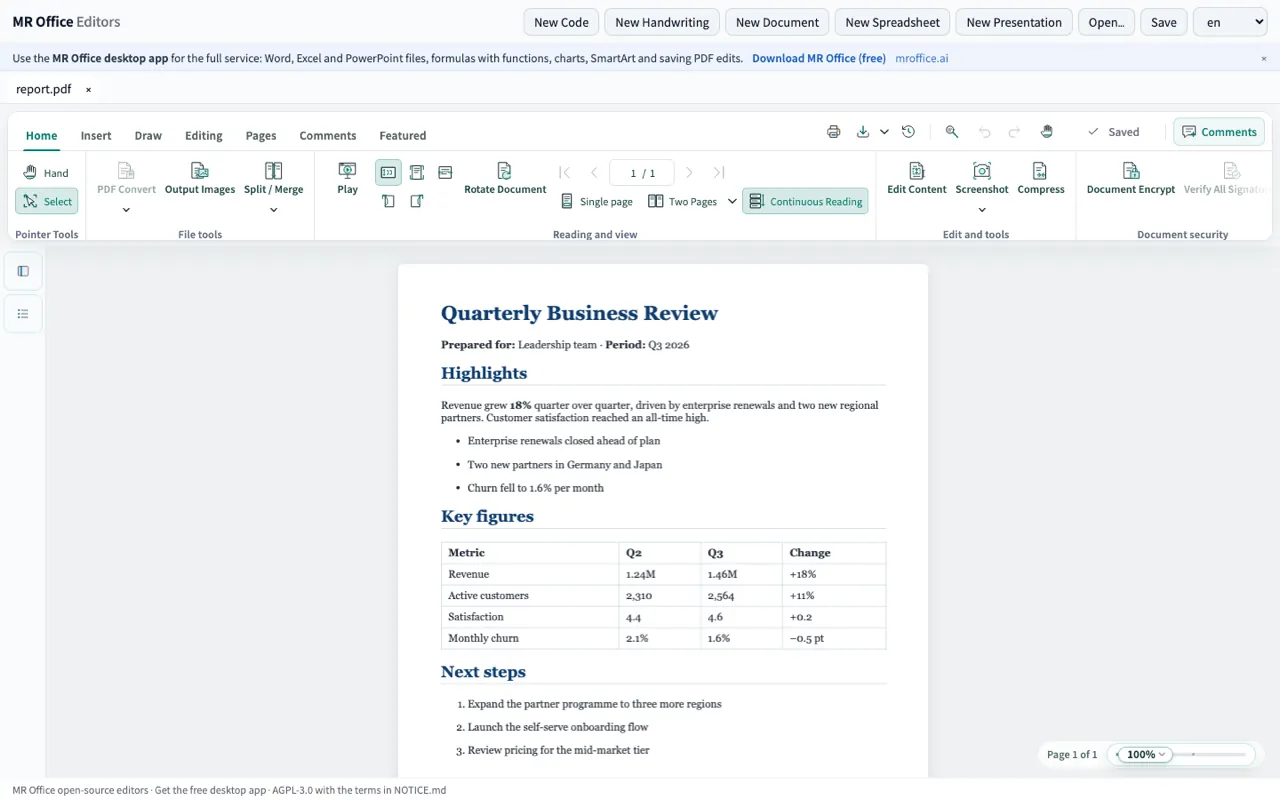
.mrslides.The PDF editor concentrates on reading and review. It opens a local PDF and provides zoom, single-page and two-page views, continuous scrolling, thumbnails, an outline, bookmarks, text search, printing, and full-screen presentation. Selected text can be highlighted, underlined, struck through, or marked with a squiggly line, and users can attach notes through a comments panel. Those annotations remain in page state only: saving or downloading returns the file as it was opened. Page editing, forms, compression, watermarks, redaction, encryption, and format conversion belong to the closed engine.
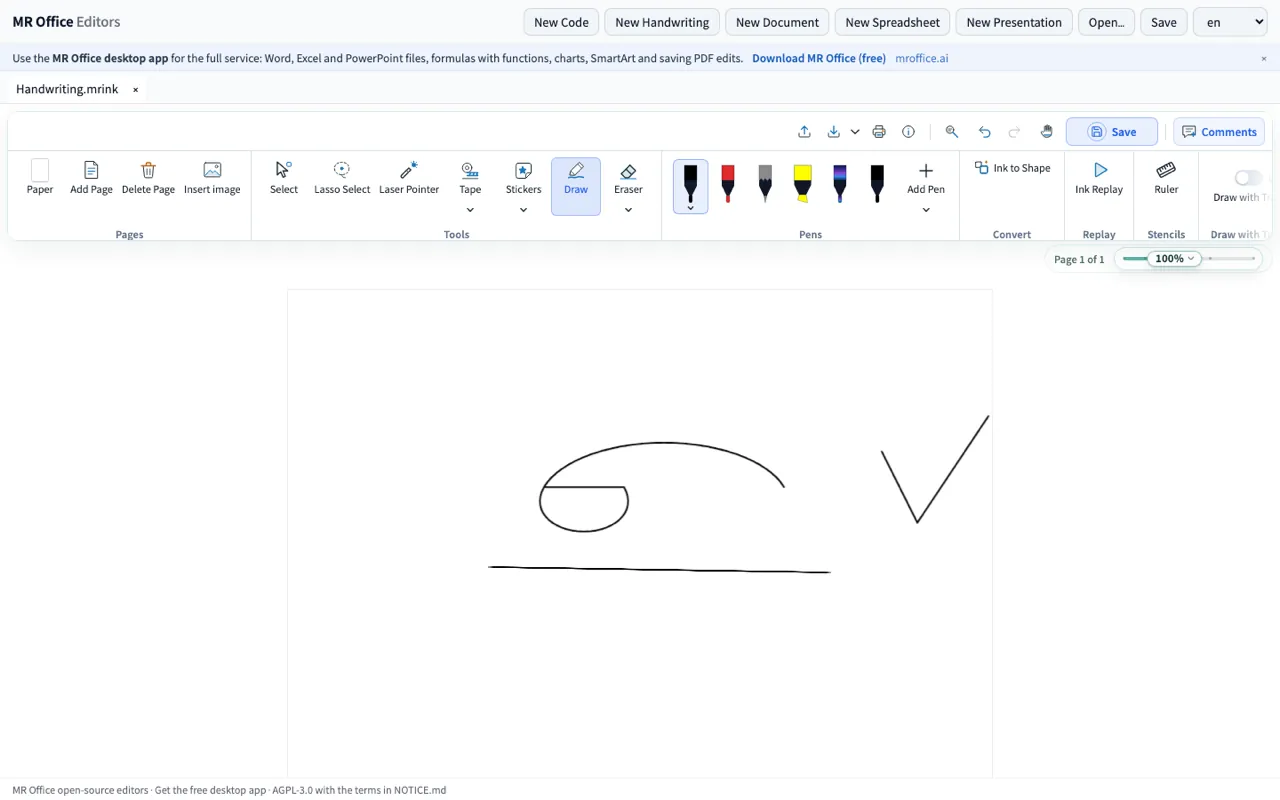
The handwriting editor includes pressure-sensitive pens, highlighters, erasers, a lasso, a ruler, and shape recognition, saving its own .mrink format. The code editor is a lightweight development surface with syntax highlighting, an outline, find and replace, and in-browser execution for JavaScript, TypeScript, Python, SQL, Lua, and shell. Including both in the same suite shows that the project treats office work as a broader set of structured authoring surfaces, not only paper-like documents.
.mrink format.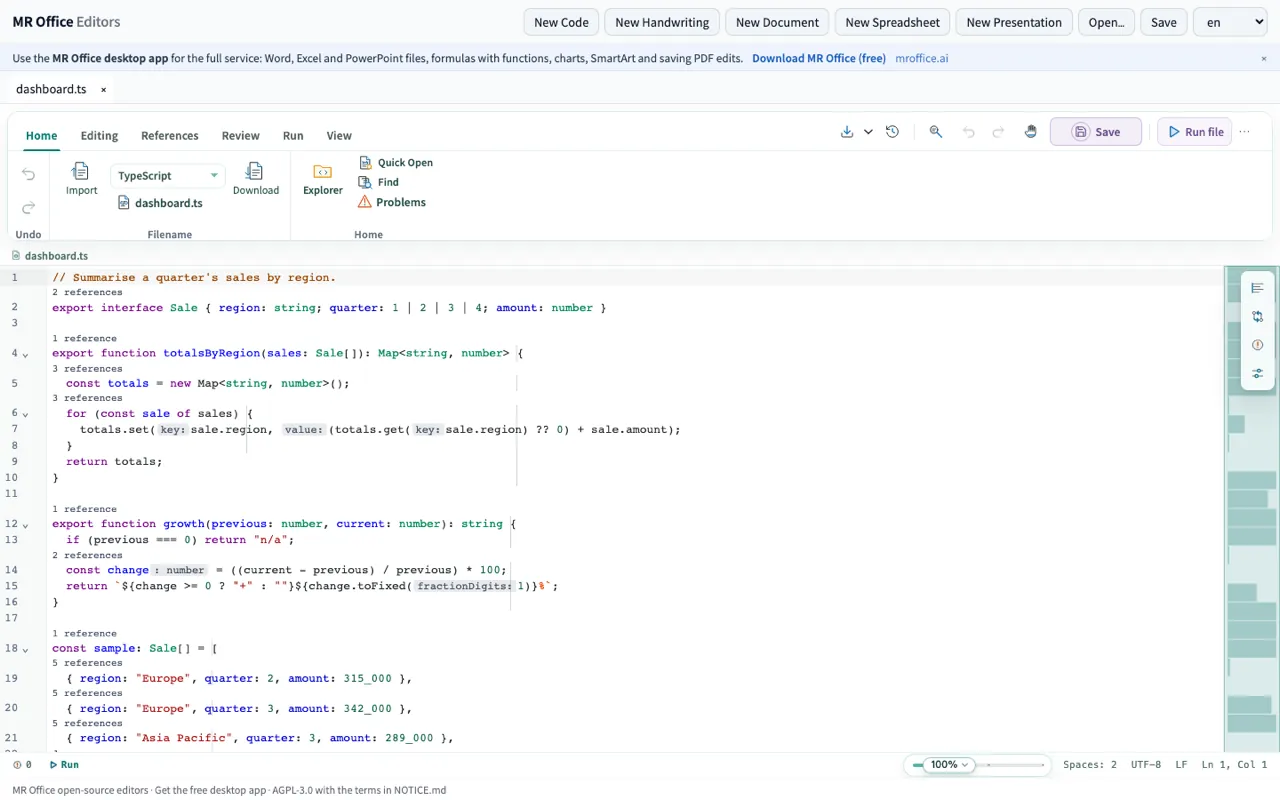
| Editor | Open-build save format | Primary coverage | Important boundary |
|---|---|---|---|
| Documents | .mrdoc | Paged authoring, review, equations, comments, ink | Word files and PDF export are not in the open package |
| Spreadsheets | .mrsheet, CSV, TSV | Cells, formula text, formats, multiple sheets | Excel files and function calculation need the closed engine |
| Presentations | .mrslides | Slides, themes, transitions, animation, playback | PowerPoint files are not handled by the open editor |
| Original file unchanged | Reading, search, presentation, temporary annotations | Annotations are not written back | |
| Handwriting | .mrink | Pressure input, ink tools, lasso, shape recognition | Focused on the editor's own note format |
| Code | Source text | Highlighting, outline, search, browser execution | Not a complete IDE |
The repository has three practical layers
packages/core contains the shared host, common interface, file abstraction, and lower-level editor capabilities. The six packages under packages/* export editor definitions and React components. apps/playground composes them into a browser application, apps/desktop wraps the same work in Electron, and apps/mcp connects the editors to model-context-protocol clients.
That structure lets the same editor surface run in a web host, a desktop host, and an agent host without duplicating the complete interface. A product can install only the packages it needs. A desktop build can add local file integration and the proprietary engine. An AI client can operate the editor through tools. The repository also warns that packages/core/src/web is generated from MR Office's upstream source and replaced during synchronization, so durable product changes should target the host adaptation layers rather than generated code.
The MCP bridge is a collaboration protocol
The MCP server lets an assistant create or open a document, hand it to a person in the real editor, and then read the person's changes before continuing. Writes are append-only revisions. An update carries the revision the assistant read, and a stale write is rejected instead of silently overwriting human work. This is a small mechanism, but it fixes a common failure mode in agent-generated files: the model assuming its first draft is still the current state.
Clients that support MCP Apps can render the editor inline in the conversation and autosave changes. Other clients receive a browser link plus an image of the page. Both paths use the same tools, so the server does not need a separate workflow for each host. The image comes from the headless editor's actual render, not from a text summary or a fabricated mockup.
| Tool | Action | Why it matters |
|---|---|---|
create_document | Creates a document from Markdown or a spreadsheet from CSV and opens it | Starts from structured content |
open_document | Opens text, base64, or an HTTPS file | Brings existing material into the session |
update_document | Adds a revision and rejects stale writes | Protects concurrent human edits |
get_document | Returns current content, including human changes | Closes the human-agent loop |
render_page | Returns a PNG rendered by the editor | Lets the agent inspect the real layout |
export_document | Exports Markdown, HTML, CSV, PDF, or a native editor format | Hands the result to another workflow |
list_documents | Lists documents created or opened by the server | Restores context in multi-file tasks |
This is a better fit for drafting, review, and continued editing than for a one-shot file generator. The assistant does not need a pretend view of a desktop application or permission to browse the whole filesystem. It operates a specific document through bounded tools, while the editor handles rendering, exports, and readback. For the person, the visual editor remains the final control surface. For the agent, revisions and tool responses provide inspectable state.
Running the open editors and the bridge
The browser demo follows a conventional local build. Installing dependencies, fetching the open substitute fonts, building, and starting preview are all explicit steps. The font step is not cosmetic: spreadsheet measurement and document pagination depend on the same font metrics as the target environment.
npm install
npm run fonts
npm run build
npm run preview
Applications can embed individual editors through npm. The document package is mroffice-docs with mroffice-core; the other packages are mroffice-sheets, mroffice-slides, mroffice-pdf, mroffice-ink, and mroffice-code. Each exports an editor definition and component, while the host supplies file selection, save registration, and layout. The Electron shell builds the browser application first. With the official component, it is the full desktop app. Without that component, it runs the open editors and their native formats.
The MCP server can run locally with npx -y mroffice-mcp, or a client can connect to the hosted endpoint. Node.js 22 or newer is required. Page rendering needs a local Chrome or Edge installation, or Playwright's Chromium headless shell. A local HTTP mode is also available, but it should not be exposed carelessly: by default, callers that can reach the endpoint can use its tools.
Local-first data flow and its security edges
Documents and revisions stay on the machine running the MCP server. The editor page is served on the loopback interface, while scripts, styles, and fonts may load from the public editor build. Inputs can be text, base64, or HTTPS URLs, with a default file cap of 20 MiB. URL loading blocks loopback and private network addresses unless the operator explicitly enables that access for local development, which prevents an ordinary file-open request from becoming a network scanner.
The desktop integration uses a loopback discovery file and a per-user token so the MCP process can find the installed app and proxy operations without exposing a general desktop control endpoint to arbitrary web pages. A shared HTTP deployment should enable OAuth mode, constrain the listening address and proxy boundary, and set retention plus per-account document limits. The absence of authentication in the default standalone HTTP mode is an operational fact, not a hidden convenience.
| Deployment | Licensing | Office formats and full capability | Good fit |
|---|---|---|---|
| Self-hosted browser editors | AGPL-3.0; network users must be offered the corresponding source and attribution must remain | Native formats, HTML, Markdown, CSV, TSV, PDF reading | Embeddable, inspectable authoring surfaces |
| MR Office desktop app | Shell and editors are open; the office engine is free but closed source | Word, Excel, and PowerPoint round-trip, function calculation, charts, SmartArt, PDF writeback | A full local office experience |
| Hosted MR Office embed | Commercial service; the integrating app is not bound by the repository's AGPL | Office files, collaboration, uploads, exports, callback saves | A product that does not want to operate the full engine |
The implementation stack supports the claims
The document editor uses Tiptap and ProseMirror, with KaTeX and MathLive for equations. The code editor uses CodeMirror 6. PDF reading relies on PDF.js, while some file operations use pdf-lib. Spreadsheet-adjacent visualization uses ECharts, and structured collaborative state can use Yjs. The interface is built with React 19, and the desktop host uses Electron.
Those choices do not prove product quality by themselves, but they are consistent with the features the repository demonstrates. A document editor is difficult because of pagination, structured selections, tables, and tracked changes. A spreadsheet is difficult because of formula semantics, ranges, formatting, and performance. A PDF editor depends on rendering fidelity and annotation coordinates. A code editor depends on language structure and execution isolation. The repository exposes real work in each direction, while package READMEs appropriately distinguish verified behavior from features that still require deeper testing.
Where it fits, and where it should stop
MR Office is a strong foundation for SaaS authoring tools, knowledge systems, local-first applications, and agent workspaces. Teams can reuse paged editing, spreadsheets, equations, annotations, and file hosting instead of rebuilding them from a basic rich-text field. The MCP server is also a useful reference for bounded agent collaboration: write, let the person edit, read back, render the actual page, export, and preserve revision conflicts.
It should not be marketed as a fully compatible open-source replacement for Microsoft Office, and the closed desktop engine should not be folded into the AGPL claim. The pure browser build still requires the product team to supply storage, permissions, version management, collaboration infrastructure, and audit policy. Revision checks prevent stale overwrites but are not a complete transaction, merge, or history system. Temporary PDF annotations, closed-engine formula evaluation, and the absence of native PowerPoint exchange are concrete product constraints.
This review is based on the repository state from November 22, 2026. The project is moving quickly, so the conservative adoption path is to choose one editor package, run it against representative real files, and then decide whether the shared core, save formats, and host interfaces fit the intended product.