OPEN SOURCE DEEP DIVE
ppt-image-first: A Conversation-First, Image-First Workflow Skill for Presentation Decks
A conversation-first, image-first PPT workflow skill: build a content basis, confirm style with real 16:9 previews, lock design_spec / slide_blueprint / spec_lock, then retouch through a bundled review shell before exporting PPTX. Page visuals are rendered by an image model, so native per-element editing is not promised.
ppt-image-first is an agent skill for turning a vague "make me a deck" request into a generation-ready, image-first presentation plan. It ships as a skill repository: a SKILL.md entry contract, four reference documents for the workflow, conversation and preview layers, four planning-file templates, and three bundled HTML shells that carry the preview, candidate-picker and review stages. The repository is licensed under Apache-2.0.
The project is explicit about its output model, and that honesty is part of its identity. Page visuals are rendered as complete slide images by an image model (the README names GPT Image 2 as the default), and those images are then placed into a PPTX container for delivery. It is therefore not a fully editable PowerPoint generator: slide text, shapes and decorations are usually not individually editable native objects. What you get is closer to a high-fidelity visual deck, suitable for presenting, sharing and image-level retouching.
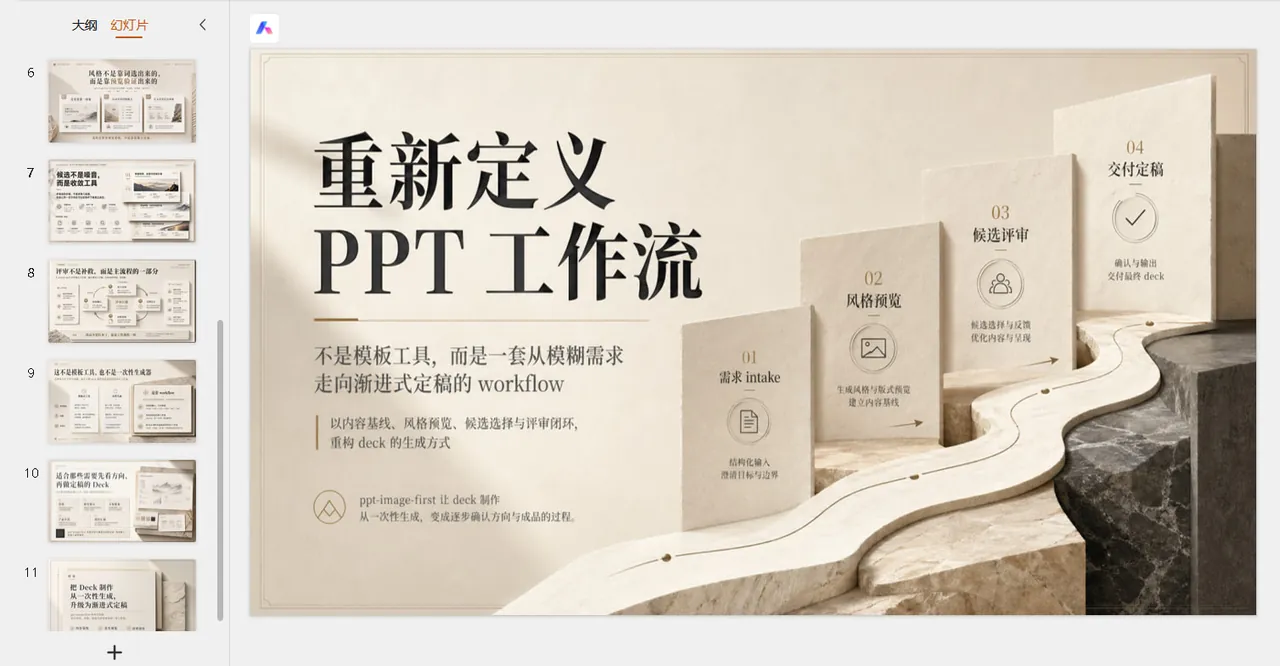
A staged conversation with four gates
The workflow treats the user like a client and the agent like the proposing design side. Intake stays deliberately light: purpose, audience, rough page count or duration, available materials, and real identity anchors such as school, company, lab, course or brand entity. From that the agent outputs a short baseline judgment and stops. The skill then advances through numbered stages, including half-steps (1.25, 1.5, 2.5, 2.75) that exist precisely so that content, style and generation never get decided in the same breath.
| Gate | Where it sits | What it locks |
|---|---|---|
| Requirement confirmation | After intake and baseline judgment | That the deck's purpose, audience and material basis are understood |
| Style confirmation | After multi-direction previews and optional refinement | One visual direction, chosen from real generated previews |
| Pre-generation confirmation | After the three planning files are written | The execution plan that generation must inherit |
| Review and retouch approval | After the first full pass of page visuals | Which pages are deliverable; export happens only after this |
The README stresses that the multiple confirmation points are deliberate design, not redundancy, and the workflow reference adds a rhythm rule: keep the first confirmation quick, the second heavy, the third short, and the final review iterative.
Content basis before style
If the user has not supplied a complete report-like narrative, stage 1.25 inserts a pre-style content research step that produces content_report.md. The template offers two writing modes: organise without expanding when the source material is already strong, or strengthen and reportise when the user only has a topic, thin notes or scattered material. Either way the file must read as a connected report, not a bare bullet outline.
The point is downstream honesty. Preview pages, the design spec, the slide blueprint and the execution lock all draw their content from this basis, so previews are content-bearing instead of empty shells, and later planning files are not invented from a bare topic. The preview reference forbids placeholder copy such as "title here" or lorem-ipsum boxes, and requires the cover to reflect the content thesis and the body page to carry believable headings, bullets, numbers or relationships.
Style directions judged on real previews
Style confirmation never happens from text alone. Each proposed direction must generate exactly three real image previews in 16:9: a cover page, a table-of-contents page and a body page. The cover tests first impression and metaphor, the contents page tests whether the style can carry structure, and the body page tests whether the visual grammar survives real information.
Internally the skill reasons with an eight-dimensional style vector: V1 layout system, V2 texture and material, V3 lighting and depth, V4 color palette, V5 containers and motifs, V6 density and rhythm, V7 text-visual balance, V8 brand constraint level. The control split is explicit: density, text-visual balance and brand constraint follow the user, while layout, texture, lighting and containers are proposed by the agent. V5 carries a special rule: covers use visual metaphors, body pages use information containers, and the body grammar must be described as a system rather than one fixed layout.
Within one direction the three previews must read as a single visual family: shared palette roles, lighting logic, material language, container grammar and restraint level. The proposal card that accompanies them stays lightweight, carrying only a name, a one-line positioning, the cover direction, the body-page grammar, suitable scenarios and a risk note.

Style inversion and the continuity anchor
Stage 2.75 is the least common and most interesting step. Once the user picks a direction, the agent reverse-engineers the selected preview images as evidence, separating features into three buckets: what should clearly be carried forward, what works but needs confirmation before being applied deck-wide, and what only happened to hold in that one image and should not be locked. The selected images are the primary evidence; the original generation prompt is only supporting context.
The result is converted into a single deck-level continuity anchor that locks at minimum the base brightness range and background tendency, dominant and secondary palette roles, lighting model and depth strength, material language, container grammar and edge treatment, decoration grammar, title and emphasis tone, and the overall restraint level. Every later per-slide prompt must inherit this anchor first, which is the skill's answer to "same style, different mood" drift across a deck.
Three planning files, in order
Only after style confirmation and the inversion pass may the agent write the planning trio, always in the same order: design_spec.md for the global deck rationale (project information, narrative spine, audience, identity anchors, ratio), slide_blueprint.md for page-by-page intent, and spec_lock.md as the execution lock. The blueprint template defines a per-slide schema with slide id, page role, title, core message, content payload, content-basis binding, claim status, page rhythm, text-visual balance, visual strategy and continuity inheritance; the claim-status field is where inferred content is marked so unsupported precise numbers never pose as user-provided facts.
spec_lock.md is written last and records only what generation must not drift away from: canvas format and ratio, the chosen direction, the reverse-engineered preview facts now treated as hard constraints, the continuity anchor, cover and body continuity rules, and the allowed variation range. A short summary of the trio goes back to the user for the pre-generation confirmation gate.
Generation stays image-first
Before the first full pass the skill asks one branch question: one final image per slide straight into review, or multiple candidates per slide with a picking step. The multi-candidate path assembles the bundled candidate-picker shell, waits for the user to paste the copied selection codes back into chat, and only then enters review. Either way, generation must stay image-first: the workflow rules forbid silently falling back to shape-by-shape PowerPoint assembly, hand-drawn vectors, SVG-like code or programmatic page reconstruction when an image-generation path is available, and forbid switching to textless background art just to dodge text-rendering difficulty.
Prompt hygiene is handled with metadata isolation. Slide ids, candidate codes, filenames and batch labels live in a separate mapping table; the prompt body sent to the image model contains only audience-facing content, page role, visual direction, the continuity anchor and layout intent. Outputs are reconnected to slide ids through filenames after generation. Post-generation overlays default to zero: PIL or Pillow may be used only for mechanical review markup, format conversion, dimension checks or packaging, never to create or patch audience-facing slide content.
The review shell and the retouch loop
The first full pass is never the delivery. The agent assembles the bundled review shell, opens it locally, and treats that HTML as the collaboration surface instead of the PPT file. The shell shows every generated slide in order, supports per-page comments and, where the environment allows, visual annotations such as brush strokes, boxes and arrows. What the user copies back is a lightweight review-shell-v2 JSON with normalised coordinate markup for notes, rectangles and pen strokes; base64 images are explicitly excluded from the payload.
Pasted feedback is saved and rendered locally with scripts/render_review_markup.py, which draws the coordinate markup onto the source slide images (default markup color #bc5b28, circled-digit labels mapped to plain numbers, and an --image-map escape hatch when filenames cannot be resolved). The marked images plus the separate text comments become the reference for retouching. Feedback is classified before acting: full-page regeneration for composition or mood changes, local image edit for a targeted region, and content or blueprint issue when the user is actually changing approved content. The loop repeats until the user approves, and only then is the final PPT exported and opened.
What ships in the repository
Beyond the prose, the repository carries three workflow shells under assets/: a preview shell, a candidate-picker shell and a review shell, each with its own Python builder script, and the skill rules treat them as mandatory stage UIs rather than suggestions. templates/ holds the four planning-file references, references/ holds the workflow, conversation framework, style system and preview flow documents, and docs/ contains sample slide images plus a downloadable demo deck of roughly 32 MB that is itself about ppt-image-first, useful for judging the finish this workflow produces.
Where it fits, and where it does not
The workflow names its sweet spots directly: thesis defense decks, research and project reports, product introductions, roadshow decks, training material and internal retrospectives, especially when the user starts from only a topic or scattered notes and wants to compare real visual directions before committing. Its contrast class is native-editable generators: projects that emit real PowerPoint object models win when every text box must stay editable, while ppt-image-first wins when visual finish, narrative depth and a confirmed style system matter more than per-element editing. Readers who need the former should treat this skill's own output note as the contract: complete page visuals in a PPTX container, retouched at image level, approved through a review loop rather than edited shape by shape.
SOURCE LINKS