Ten Checkers for Agentic CAD: The Verification Loop to Run After Every Model Update
David Bar's ten checkers for agentic CAD - spec, motion, geometry, edge, manufacturability, fastener, hole, picture, accepted-problems and test-the-checkers - written in Python on build123d and run after every model update.
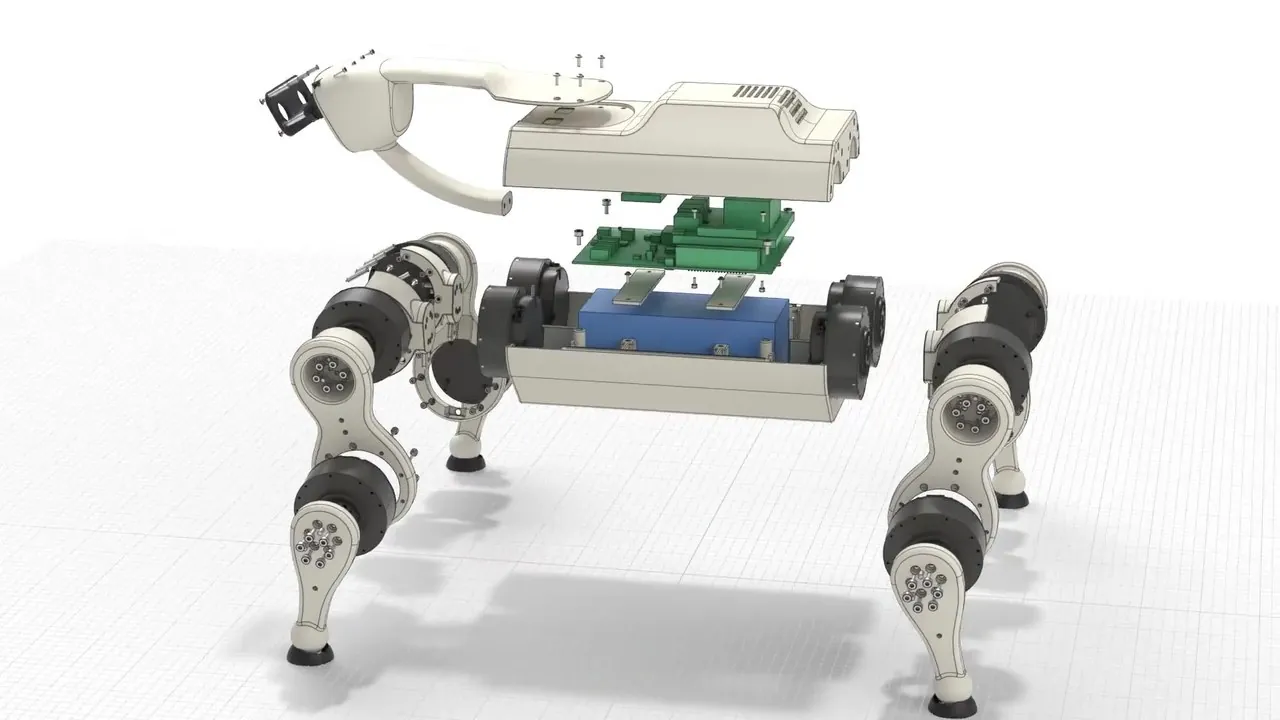
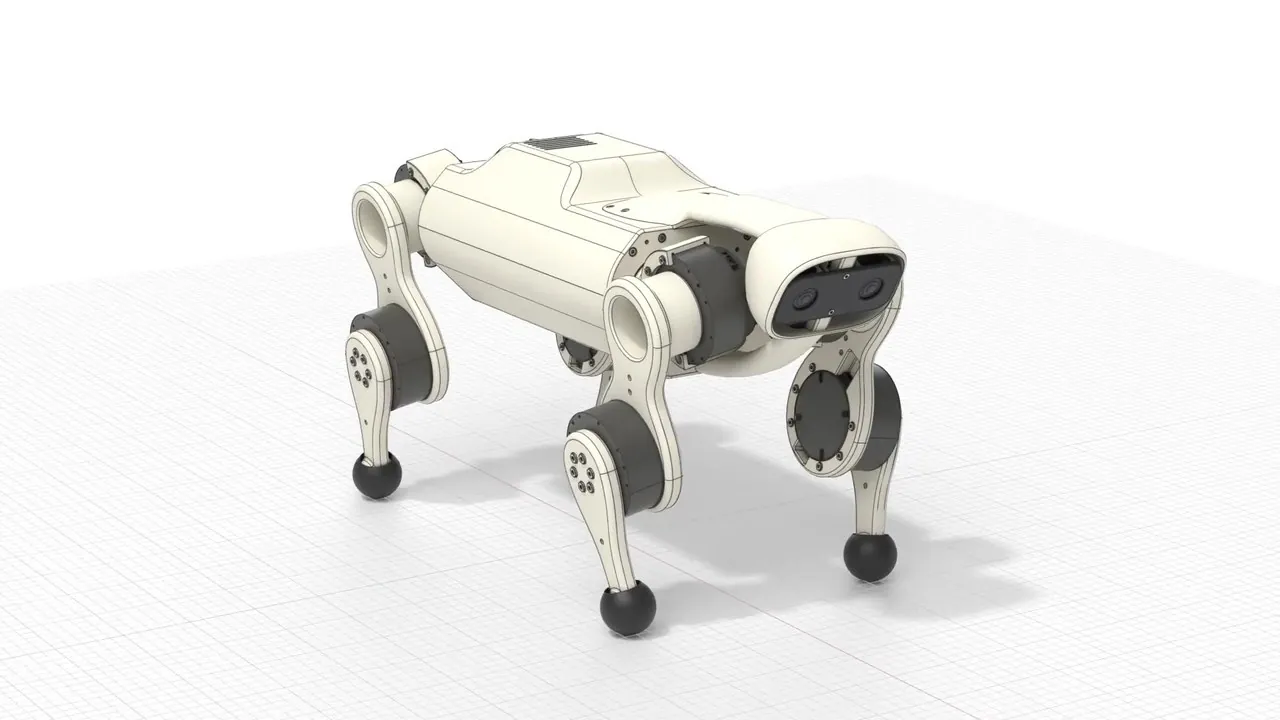
Ask an agent to design a robot and it will happily redesign it two hundred times. Every edit arrives confident; none of them is checked. Somewhere around iteration forty the shoulder grows a wall 0.4 mm thick, a hole loses its screw, and the hip joint starts intersecting the battery tray at 61 degrees of flex. Nothing in the loop notices, because the only thing watching the geometry is the same agent that just changed it. David Bar (@observie), who builds robots in CAD to understand how they work, published his answer as a list: ten checkers, written in Python on top of build123d, run after every model update. Not ten prompts. Ten programs.
The distinction is the entire article. A prompt asks the model to be careful. A checker measures the solid and fails the build. Read together, Bar's ten items are a mechanical engineer's design review compiled into code, covering the whole path from intent to manufacturable part: the spec, the motion, the geometry, the edges, the manufacturing process, the fasteners, the holes, the rendered pictures, the list of accepted problems, and finally the checkers themselves.
00. The loop first: every model update ends in a verdict
Bar's framing is one sentence long and it does most of the work: tell your agent to add these checkers and run them after every model update. Not at the end of the project, not before export, not when something looks wrong. After every update. That turns the design loop from "agent edits, agent approves" into a measured pipeline where each edit has to survive an independent examination before it counts as progress.
flowchart TD
  A[Agent edits the parametric model] --> B[Run the checker suite]
  B --> C{Any checker fails?}
  C -- yes --> D[Failure report: part, feature, measured value vs limit]
  D --> A
  C -- no --> E[Render pictures and sections]
  E --> F[Agent examines the pictures]
  F --> G{Anything wrong on screen?}
  G -- yes --> A
  G -- no --> H[Model update accepted]
Two properties fall out of this shape. First, failures are data: a checker reports a part, a feature and a number against a limit, which is a far better repair prompt than "something feels off". Second, the definition of done no longer depends on the agent's mood. The suite is the contract between the model that proposes geometry and the physics that has to accept it.
01. Spec check: measure the part against the intent, not against itself
Measure the important dimensions of the finished parts and make sure they reasonably agree with the spec. Bar keeps that spec as a YAML file holding all high-level design decisions, which is the quiet enabler here: the checker needs the intent in machine-readable form before it can assert anything. A parametric model will happily satisfy every constraint it was given while quietly violating one it was not — a fillet added for strength that eats two millimetres of promised clearance, a shell that grew past its envelope because a boss moved. The spec check is the assertion that the solid still matches the document.
02. Motion check: sweep every joint and watch for contact
Move each joint through its full range in hundreds of positions and make sure no moving part touches another part. This is the checker that catches the hip-versus-battery-tray class of failure, and it is also the one that could eat your entire CPU budget if written naively, because the cost is pairs of parts times positions times a boolean intersection each. Bar names the two tricks that keep it cheap: use simple shapes instead of the full boundary representation, and skip any pair whose bounding boxes do not touch. The bounding-box gate discards most pairs before any real geometry work happens, and the proxy shapes make the remaining tests fast enough to run hundreds of times per joint, every update.
03. Geometry check: hunt the degenerate and the too-thin
Find very thin faces, very small faces, very short edges, and walls that are too thin; and make sure a part that is supposed to be symmetric really is. These are the defects that never show up in a render and always show up at the machine: a 0.1 mm sliver face that breaks a toolpath, an edge so short that a fillet operation collapses, a "mirror" that drifted because one side was edited by hand. The measurement worth stealing is wall thickness by ray casting: thickness is not a quantity a B-rep stores anywhere, so you probe for it, firing rays through the solid from the surface and measuring the distance to the exit. What the checker reports is then a number you can compare against a process limit, not an impression.
04. Edge check: every edge gets a radius, or a written excuse
Make sure each edge has a radius. If an edge must stay sharp, write it into a list of permitted sharp edges. The list is the real content of this checker. "All edges filleted" is not a design rule anyone can honour — mating faces, sealing lands, blade edges and electrical contacts legitimately stay sharp — so the rule becomes: every sharp edge is a decision that somebody signed, recorded by name in an allow-list. An edge that is sharp and not on the list is not a style choice, it is an oversight, and the checker says so on the next run.
05. Manufacturability check: one solid, three processes, three failure modes
For machining: make sure a cutting tool can reach all surfaces, find inside corners that are too sharp for the tool, and find walls that are too thin. For filament printing: measure the minimum wall thickness and the area that needs support. For powder bed printing: find closed spaces that trap powder. The same solid can be perfect for one process and impossible in another, and the checker encodes the process you actually intend to use. The powder rule is the one most CAD reviews forget entirely: an internal cavity with no drain hole is a part full of sintered powder you paid for by the kilogram, discovered only when the build plate comes out.
06. Fastener check: screws come from a library, and they have to fit
Use standard screws and inserts from a parts library — Bar uses bd_warehouse, the fastener and insert library for build123d — then assert three things per fastener: it passes through its hole with clearance, it aligns with the threaded hole it is meant to enter, and it engages the thread to the correct depth. Modelling real catalogue hardware is what makes the check meaningful at all: a generic cylinder "screw" can always be made to fit, while an M3 socket head cap screw with a real head diameter, a real shank and a real thread length will tell you immediately that your counterbore is 0.5 mm too shallow or your engagement is three turns short.
07. Hole check: no orphan holes
Make sure each hole has a fastener in it. If a hole has no fastener, write the reason for the hole. The rule sounds almost bureaucratic until you have debugged its absence: an unexplained hole is either a screw somebody deleted or a decision nobody recorded — a weight pocket, a cable pass, a dowel, a vent. Forcing the reason into the model converts both cases from archaeology into a one-line annotation, and it gives the checker a complete answer key: every hole is either occupied or justified.
08. Picture check: make the agent look at its own work
Make pictures and sections of the part after each change, and tell the agent to examine the pictures before it says the work is complete. Numbers catch everything you thought to measure; the render catches what you did not think to measure. Sections matter most, because the failures in a machine like Bar's quadruped live inside the shell — interference between a PCB stack and a battery, a boss that grew into a wire channel — and no exterior view will ever show them. The instruction to examine the images before claiming completion is what closes the loop: the pictures are not documentation, they are a gate.
09. Accepted problems: named, bounded, small
Give each accepted problem a name and a small area. Real designs carry known deviations — a witness mark from a tool, a region where the wall thins below nominal and the part is still fine — and a checker that cannot waive them will cry wolf until the team disables it. Bar's constraint on the waiver is the sharp part: the accepted area must be small, because a large waived region hides new problems. After the shape changes, a fresh defect born inside a blanket exemption is invisible to the very checker that was supposed to catch it. Naming the problem and bounding it tightly keeps every waiver auditable and keeps the suite honest.
10. Test the checkers: verification needs verification
Give each checker a part with a known error, and use the checker only after it finds the error. A checker that has never failed on anything is indistinguishable from a checker that always returns true, and in a loop that runs the suite after every update, a silently dead checker is worse than none: it spends the CPU and prints "pass". So the suite gets its own regression tests, seeded with deliberately broken geometry — a part with a 0.2 mm wall, a hole with no screw, a joint that collides at mid-travel — and a checker that misses its seed defect is itself the bug.
| # | Checker | What it catches | What keeps it honest or fast |
|---|---|---|---|
| 1 | Spec | Dimensions drifting away from design intent | Intent lives in a YAML of high-level decisions |
| 2 | Motion | Moving parts touching across the joint range | Proxy shapes + bounding-box prefilter over hundreds of positions |
| 3 | Geometry | Sliver faces, short edges, thin walls, broken symmetry | Wall thickness probed by ray casting through the solid |
| 4 | Edge | Unfilleted edges nobody decided on | Explicit allow-list of permitted sharp edges |
| 5 | Manufacturability | Unreachable surfaces, sharp internal corners, trapped powder, support area | One rule set per intended process: machining, FDM, powder bed |
| 6 | Fastener | Missing clearance, misaligned threads, shallow engagement | Real catalogue hardware from bd_warehouse |
| 7 | Hole | Orphan holes and unrecorded design decisions | Every hole occupied by a fastener or carrying a written reason |
| 8 | Picture | Failures no metric was written for | Renders and sections the agent must examine before claiming done |
| 9 | Accepted problems | Waivers swallowing new defects | Each waiver named and bounded to a small area |
| 10 | Test the checkers | Checkers that silently always pass | Seed parts with known errors; trust a checker only after it fails correctly |
Why this list travels beyond one robot
CAD-as-code is what makes the whole idea executable: when the model is a program, the model can be tested like a program. Bar's ten checkers map almost one-to-one onto the testing vocabulary software engineers already trust — assertions against a spec, integration tests across moving interfaces, snapshot tests in the form of renders, waivers as documented suppressions, and regression tests for the test suite itself. What is new is only the substrate: the unit under test is a boundary representation instead of a function.
It also reframes where the intelligence goes. An agent without checkers spends its capability re-deriving whether its last edit was safe, and gets it wrong at a steady rate. An agent with checkers spends its capability on design, and reads failures off a report that names the part, the feature and the number. The loop in section 00 is the product; the ten items are simply the loop made concrete. For anyone running agentic CAD on build123d, CadQuery or any other scriptable kernel, the porting cost is a week of Python and the failure modes it closes are the ones that used to surface at the machine shop.
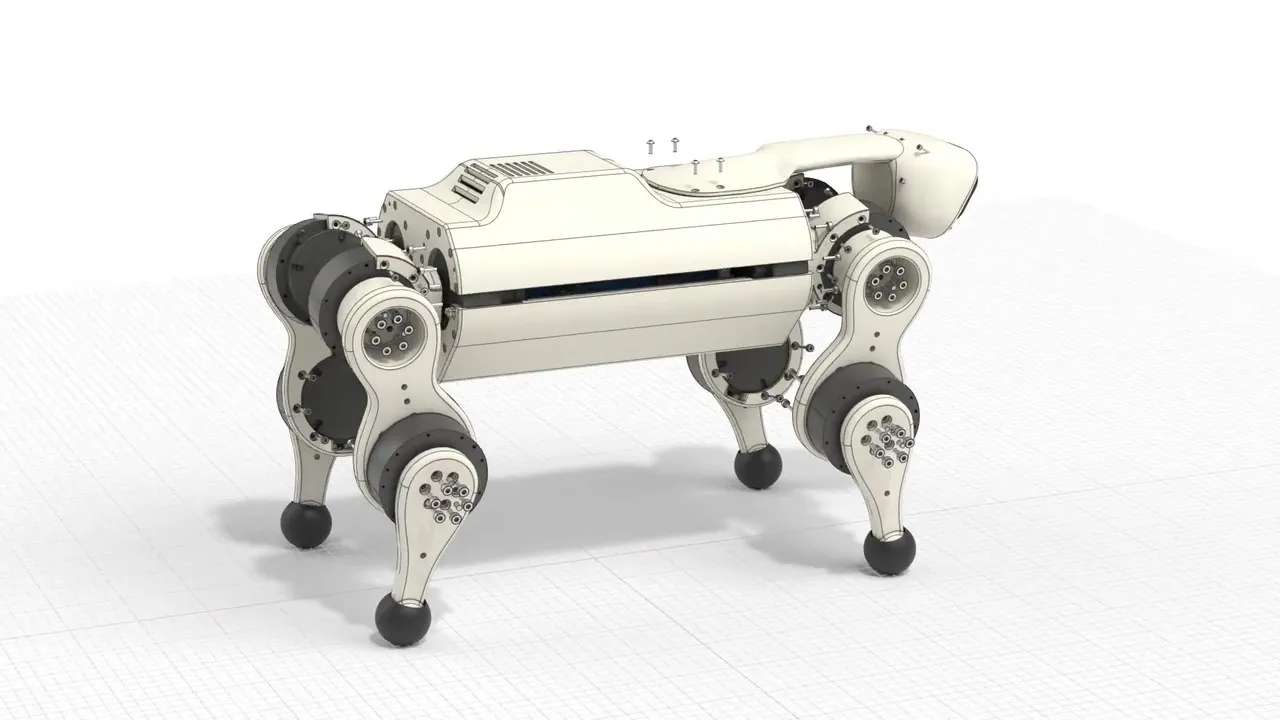
Source: X (Twitter) long-form post by David Bar (@observie), "Tips for agentic CAD: tell your agent to add these checkers and run them after every model update" (x.com/observie/status/2109707995919606136, 2026-10-12). Fully adapted here; all renders and the video are from the original post, and the loop diagram and summary table were added for this edition.
Source:David Bar (X)https://x.com/observie/status/2109707995919606136